What Musicians Should Expect From an AI Music Video Tool
Releasing a song now means making more than an audio file. An artist may need a full video for YouTube, short clips for TikTok and Reels, lyric videos, and other visuals for social media. A traditional video shoot can create these assets, but it can also take more time, money, people, and planning. AI music video tools offer another option. They can use a song to help create scenes, match visuals to the music, add lyrics, and prepare videos for different platforms. But a good-looking demo does not always mean a tool is useful for a full music release. Musicians should look at the whole process, from the song they upload to the final video they publish.
Start With the Song, Not a Generic Prompt
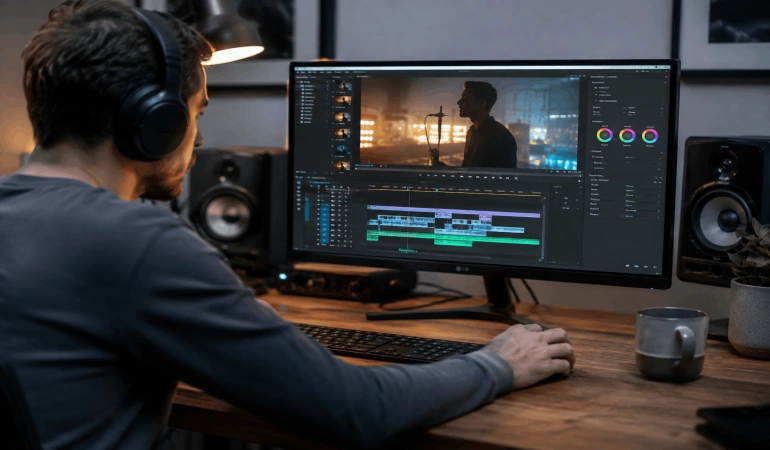
A song already has its own structure. The intro builds interest. A verse may be quiet, while the chorus becomes bigger and louder. A bridge may change the mood or tell a new part of the story.
A good AI music video tool should work with that structure instead of treating the song like simple background audio.
The artist should be able to upload the song and use it as the main timeline for the video. A good tool should recognize important changes in the music and place scenes or cuts in the right parts. A strong beat may work well with a quick change, while a long vocal note may need a slower scene.
The video does not need to change on every beat. The important thing is that the visuals feel connected to the music.
This is especially important for different types of songs. A slow ballad may need calm scenes and longer shots. A fast electronic song may need more movement and quicker changes. Musicians should look for tools that let them control the pace and visual style instead of making every video look the same.
When testing an AI music video tool, check whether it supports:
Audio uploads or direct song input
Beat or rhythm syncing
Different visual pacing
Scene timing controls
Manual editing after generation
Consistency Matters More Than One Impressive Shot
AI video models can create amazing single shots. But a music video is more than one good-looking scene. The scenes need to feel like they belong to the same video.
The singer should look the same from one scene to the next. Clothes, locations, lighting, colors, and overall style should also stay consistent. If your face changes or the video suddenly moves from a dark room to a bright cartoon world, viewers may stop focusing on the song.
Before generating the video, artists should choose a simple visual direction.
For example, a folk song might use warm daylight, open fields, and natural camera movement. A dark electronic song might use strong shadows, city streets, and darker colors.
These choices give the AI clear limits. They also make it easier to spot scenes that look good but do not fit the rest of the video.
Reference images can help too. An artist may already have cover art, press photos, or other images that show the look they want. A good tool should let artists use these images as visual references.
Still, every generated scene needs to be checked. AI can sometimes change faces, hands, instruments, clothing, logos, or other details. A scene may look impressive on its own but still need to be replaced because it does not match the rest of the video.
Lyrics Need Timing and Restraint
Lyric captions can make a music video more useful on social media. Some people may see the video before turning on the sound. Lyrics also make it easier for fans to follow the song, remember a line, or share a short clip.
But bad captions can make a good video look unfinished.
An AI music video tool should let the artist check and edit the lyrics before the video is exported. AI transcription can make mistakes, so musicians should always compare the captions with the original lyrics.
Timing matters too. Words should appear when they are sung. Long words or lines may need more time on screen. The captions should also follow the way the singer performs the song instead of breaking lines in random places.
The design matters as well. The font, size, color, and position should fit the music without making the words hard to read.
Most importantly, lyrics should not cover the main subject of every shot. On a small phone screen, both the video and the words need enough space to be seen clearly.
When checking a tool, look for:
Accurate lyric transcription
Easy lyric editing
Good timing controls
Flexible line breaks
Font and text controls
Captions that can move to different parts of the screen
One Edit Should Produce More Than One Format
Musicians often share the same release on several platforms. YouTube is commonly used with 16:9 videos. TikTok, Instagram Reels, and YouTube Shorts use 9:16 vertical video. Square 1:1 videos can still be useful for some social posts and other promotional content.
The problem is that one video does not always fit every screen.
Simply cropping a widescreen video can cut off the singer, remove important action, or place lyrics in the wrong position. Great AI music video makers should make it easier to create different versions without having to rebuild the whole video.
For example, it could keep the main subject inside a safe area, move captions when the video changes shape, and create several versions from the same creative idea.
This saves time, but it also helps keep the release consistent. A fan should be able to recognize the same visual style whether they watch the full video on YouTube or a short clip on TikTok.
When testing a tool, check whether it can create:
16:9 for YouTube and other widescreen videos
9:16 for TikTok, Reels, and Shorts
1:1 for square social posts
Different versions from the same song
Captions that stay readable after the video changes size
Know What AI Music Video Tools Still Struggle With
AI music video tools can save time, but they are not perfect. A tool may create a beautiful scene and still get important details wrong.
Character consistency is one common problem. The same singer may look different from one scene to another. Clothes, hair, or other details may also change.
AI can also struggle with hands, musical instruments, lip-sync, and complex movement. Text inside generated scenes may contain mistakes or look strange. A scene can also change style or location without a clear reason.
These problems do not mean the tool is useless. They mean musicians should expect to review and edit the result.
Before choosing a tool, artists should test a few different scenes. Check whether the same character stays consistent. Look at hands and instruments. Check faces, text, and movement. If the tool allows individual scenes to be regenerated, that can make fixing problems much easier.
The goal is not to expect every generated shot to be perfect. The goal is to find a tool that gives the artist enough control to fix the shots that are not.
Review Still Belongs to the Artist
AI can do much of the work, but the artist still decides what represents the song. Every generated video should be watched from beginning to end before it is published.
Start by checking the video with the song playing normally. Then watch it again at a lower volume. This can help you notice problems in the visuals that you may miss when you are focused on the music.
Look for repeated scenes, sudden style changes, broken text, strange movements, and visuals that do not match the lyrics. Check whether the strongest visual moments appear at the right parts of the song.
The final video should also be checked on a phone. A video that looks good on a large computer screen may not work as well on a small vertical screen.
They should also check whether the tool gives them the right to use the generated videos for commercial purposes. Musicians should understand how a tool handles uploaded songs, photos, and other files. They should also check whether the generated videos can be used commercially and whether the tool keeps uploaded files after processing.
Artists working with a label, manager, or distributor should also check any rules that apply to AI-generated content before publishing.
What to Check Before Choosing an AI Music Video Tool
Musicians do not need to choose a tool based on the best-looking demo. A better approach is to test the features that matter to the release.
Before choosing an AI music video tool, check whether it can:
Let you upload your song or use it as the main video timeline
Match scenes and cuts to important parts of the music
Keep characters and visual styles consistent
Use reference images
Create and edit lyric captions
Regenerate individual scenes without starting over
Export videos in 16:9, 9:16, and other useful formats
Keep important subjects and text visible after resizing
Export the video at a useful quality
Remove or avoid unwanted watermarks
Allow commercial use of the finished video
Explain how uploaded audio, images, and other files are stored
Give you enough control to edit the final result
It is also worth testing the tool with a real song before paying for a plan. A short test can show problems that may not appear in a product demo.
Choose a Tool That Fits the Release
Not every song needs the same kind of video.
A low-budget single may only need a simple visual with a few strong scenes. A lead song from an album may need a more detailed video with several characters, locations, and edits. A tour announcement may only need a short vertical clip.
The best tool is the one that fits the job.
Artists should also think about how much control they want. Some tools may do most of the work automatically. Others may give the artist more control over scenes, timing, images, text, and editing.
AI can reduce some of the work involved in making a music video, but it should not replace the artist's creative direction. The song should still guide the mood, story, visuals, and pace.
The right test is simple: Does the finished video feel like it was made for this song?
If the answer is yes, the tool is doing its job.
Frequently Asked Questions
Let’s shed light on the questions we receive most about creating AI music videos.
Can AI create a full music video from a song?
Yes. Some AI music video tools like Neural Frames, Freebeats, and Kaiber AI can use a song as the starting point and generate scenes around it. The amount of control varies between tools. Some create most of the video automatically, while others let the artist choose scenes, styles, images, lyrics, and timing.
Can AI music video generators sync visuals to music?
Some AI video tools can match scenes, cuts, or visual changes to parts of a song. The results vary, so musicians should test the tool with their own music. Good timing should support the song instead of forcing every visual change to happen on every beat.
Can AI create lyric videos?
Yes. Some AI video software can transcribe a song and turn the lyrics into on-screen captions. Artists should always check the text for mistakes and adjust the timing, line breaks, font, size, and position before publishing.
What video format is best for a music release?
It depends on where the video will be published. A 16:9 video works well for YouTube, while 9:16 is better for TikTok, Instagram Reels, and YouTube Shorts. Some artists may also need a 1:1 version for other social posts.
Can musicians use AI-generated music videos commercially?
It depends on the tool and its terms. Musicians should check the rules for commercial use before publishing or monetizing a video. They should also understand how the tool handles uploaded songs, images, and other content.

Lahaga Aondowase
Is the founder of AI Video Tools Pro, an AI video tools directory that helps creators, marketers, educators, and businesses discover AI video software. He researches and evaluates AI video tools based on their features, use cases, pricing, and practical workflows.
Related Articles
View All

User Comments (0)

