
How to Choose the Right Background Music for AI Videos
AI video tools can create striking images, motion, avatars, subtitles, and effects, but a finished video can still feel incomplete when the music is wrong. The common mistake is choosing a track because it sounds impressive on its own. Background music for AI videos has a different job. It must support pacing, leave room for speech, reinforce the visual tone, and avoid pulling attention away from the message. A good soundtrack does not need to be the most noticeable part of the video. It needs to support what the viewer is already watching and hearing.
September 18, 2026 15:21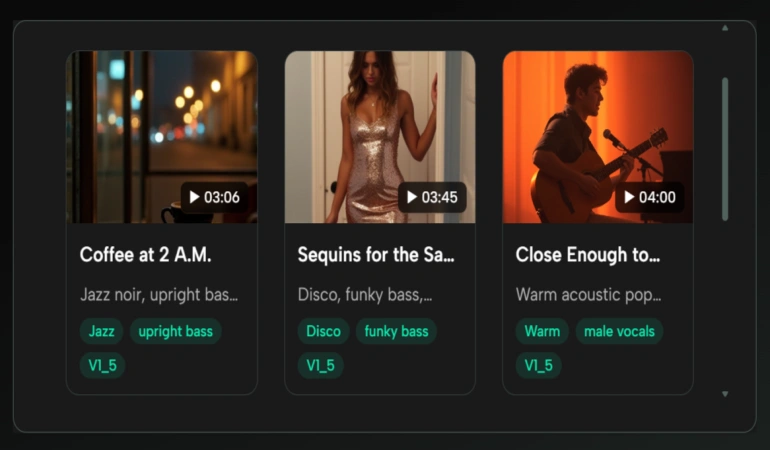
Begin With the Video, Not the Music Genre
A creator making an AI-generated product demo might immediately ask for “electronic music.” That is still too broad. Electronic music can be slow, aggressive, playful, minimal, cinematic, or dance-focused.
The same applies to AI avatar videos, UGC videos, explainers, tutorials, and short-form social videos. The type of video gives you a better starting point than the genre alone.
Watch the rough cut first and answer three questions:
Is there voice-over or dialogue?
Where are the main visual changes?
What should the viewer feel by the end?
For a one-minute software walkthrough with narration, the soundtrack may need steady energy and a simple arrangement that stays behind the voice.
A fantasy transformation video with no dialogue can support larger changes in intensity. A short ad may need an immediate opening rather than a long musical introduction.
Choose Music Based on the Type of AI Video
Different AI video formats create different music needs. The same track that works for a cinematic AI short may feel distracting in a narrated tutorial.
AI UGC and product videos usually work well with light, modern music that supports the product without competing with the voice or visuals.
AI avatar videos often need simple background music with enough space for spoken dialogue. A busy arrangement can make the narration harder to follow.
AI explainers and tutorials usually benefit from steady instrumental music. The goal is to maintain energy without making every section feel dramatic.
AI-generated cinematic videos can give the music a larger role. The soundtrack can build with the story, change intensity, and help create an emotional transition.
Short-form social videos often need music that establishes energy quickly. A long musical introduction may not make sense when the video itself starts with a fast visual hook.
Match the Music to the Role It Plays
Not every video needs the same kind of soundtrack. Before generating anything, assign the music one clear role.
1. Background Support
This is the most common role for tutorials, explainers, product videos, and narrated content. The music should create pace and mood without demanding attention.
A useful prompt might describe restrained instrumentation, a steady pulse, and consistent energy. If the first version contains dramatic changes, reduce the intensity rather than changing the entire concept.
2. Emotional Driver
Some videos depend on music to carry the emotional arc. Travel edits, short films, photo stories, and transformation sequences often fall into this category.
Here, the track can evolve more noticeably. You might request a quiet beginning, a gradual build, and a stronger ending.
The important point is to align those changes with the edit rather than asking for “cinematic” music and hoping the structure happens to fit.
3. Vocal Hook
A short branded video, comedy clip, or character piece may benefit from lyrics. If the words are central to the video, an AI music generator can help creators quickly test a vocal concept.
For example, AI Song lets users work with their own lyrics, while its lyrics assistant can help develop lyrics from a theme.
Keep the text concise. A short video doesn't need a song that explains every feature or message.
Use the Rough Cut as Your Prompt Reference
Prompting from an idea is useful. Prompting from the actual video edit can be better.
Once the rough cut has a clear structure, you can describe the music based on what is actually happening on screen instead of guessing what the finished video will need.
Play the video and write down what happens in simple time-based notes:
Opening: logo and first visual
Middle: main demonstration
Final section: result and call to action
The goal is to notice energy changes. Fast cuts may need stronger rhythm, while a held ending may suit a calmer finish. These observations help you describe the musical shape more clearly.
A Four-Step Music Test for Video Creators
You do not need a complicated music workflow to find something that works. Start with one clear direction, test it against the video, identify one problem, and make another version.
AI music tools can offer useful controls for changing style, lyrics, vocals, or other characteristics, but you don't need to adjust every setting. Use only the controls that solve a problem you can actually hear.
Step 1: Generate One Clear Direction
Start with the simplest useful brief. For example: “minimal upbeat electronic instrumental for a clean technology explainer, steady rhythm, confident but not aggressive.”
Avoid combining several genres and moods in the first attempt.
You can always make the second version more specific after you hear what the first one is missing.
Step 2: Watch the Video With the Track
Do not judge the audio in a separate tab. Put it against the edit. A track that sounds slightly plain on its own may work perfectly under narration.
Listen especially to the opening, the busiest visual section, and the ending.
Step 3: Identify One Mismatch
Choose one problem: Too dramatic, too slow, too busy, too cheerful, too empty, or too vocal-heavy.
Then change the prompt or relevant setting to address that issue only.
Step 4: Compare, Do Not Just Replace
If your music tool has a regenerate or variation feature, use it to create another interpretation of the same idea. AISong, for example, provides a Regenerate option for creating another version while keeping the same general direction.
Comparing two versions against the same video can be more useful than replacing a track without understanding what was wrong with the first one.
When Lyrics Compete With the Video
Creators often add vocals because they make the music feel more complete. That can create problems when the video already contains spoken language.
Imagine a tutorial with narration, on-screen captions, and a vocal song underneath. The viewer is asked to process three streams of words at the same time. Even if each part is good, the combination can feel tiring.
In that situation, an instrumental direction is usually easier to manage. If you still want vocals, reserve them for an intro, outro, or section without speech.
This is especially important for AI avatar videos, tutorials, product explainers, and UGC videos where the viewer is already listening to a person speak.
The same rule applies to on-screen text. If the video has narration, captions, and vocal music at the same time, keep the soundtrack simple enough that the viewer can focus on the main message.
AI music generators are useful because you can test both approaches before committing. Generate one restrained instrumental direction and one vocal concept, then watch both against the same cut.
Check the Music License Before Publishing
Finding music that sounds right is only part of the job. You also need to know whether you can legally use it in the finished video.
Different AI music generators and music libraries have different licensing terms. Some allow commercial use, while others may limit certain uses to specific plans or require additional permissions.
Before publishing a video, check whether the music can be used for your intended project. This is especially important for monetized YouTube videos, paid ads, client work, and branded content.
Do not assume that a track is free to use simply because it was generated by AI. Check the tool's current license and usage terms before publishing.
Common Soundtrack Mistakes in AI Video Workflows
Even when the music sounds good on its own, it can still create problems when paired with an AI video. These common mistakes can make the video feel too busy, distracting, or disconnected from the visuals.
1. Choosing Music Before the Edit Has a Shape
If the video is still changing dramatically, the soundtrack target will keep moving. Wait until the rough cut has a clear structure before spending time on detailed music choices.
2. Making Every Moment Intense
AI-generated visuals can already be visually dense. Constantly dramatic music can make the whole piece feel exhausting. Contrast gives important moments more impact.
3. Over-Describing the Prompt
Adding ten instruments, four moods, two genres, and several production references does not guarantee precision. Start with the role, mood, energy, and one or two sonic details.
4. Ignoring Narration
Always test the track at the volume and context where it will actually be used. Music that seems perfect alone may mask speech or make the voice feel emotionally disconnected.
5. Treating AI Music as the Finished Mix
Generating the track is not always the final step. The music may still need to be trimmed, faded, looped, or lowered in sections where the video becomes busy.
A good soundtrack can still feel wrong if it is mixed at the same volume from beginning to end. Listen to the final video as a whole rather than judging the generated track by itself.
Create a Reusable Music Brief for Repeated Video Formats
If you publish the same kind of video regularly, save the parts of the brief that stay consistent.
A weekly tutorial series might repeatedly need “clean, modern instrumental, steady rhythm, low dramatic variation, enough space for narration.” A short visual-effects series might need a more energetic base with a stronger build.
Many AI music tools also let creators reuse styles, lyrics, settings, or previous generations. AISong, for example, includes a “Use Styles and Lyrics” option for loading settings from an earlier song.
For recurring content, this can help creators revisit a direction that already worked and adjust only what the new video requires.
The goal is not to make every soundtrack identical. It is to stop solving the same basic problem from zero every time.
Know When the Music Is Good Enough
Video creators can lose time searching for a perfect track when the current one already supports the edit well.
Use a simple test.
Does the music establish the intended mood quickly?
Can you understand every important spoken word?
Does the track support major visual changes?
Does the ending feel intentional?
If the answer is yes, further generation may produce different music rather than better music.
Conclusion
Good background music for AI videos starts with the job of the video. Decide whether the soundtrack should stay behind narration, carry emotion, or deliver a vocal hook. Generate a clear first direction, test it against the rough cut, and change one mismatch at a time.
The goal is not to find the most impressive track on its own. The goal is to find music that makes the finished video work better.
For your next AI video, resist the urge to search for a genre first. Watch the edit without music, write down what the soundtrack needs to do, and build your prompt from those needs.
Frequently Asked Questions
Choosing music for an AI video can raise a few simple questions. Here are some common questions about background music, AI music generators, and using music in different types of videos.
What is the best background music for AI videos?
There is no single type of music that works for every AI video. The right choice depends on the video's purpose, pacing, narration, and visual style. For narrated videos, simple instrumental music is often easier to manage.
Should AI videos use instrumental or vocal music?
Instrumental music is usually easier when the video already has narration or dialogue. Vocal music can work well when the lyrics are part of the video's message or when there is little spoken content.
Can I use an AI music generator for background music?
Yes. AI music generators can create background tracks based on a description such as the mood, genre, energy, instruments, and intended use. The result should still be tested against the actual video.
How do I make background music fit my AI video?
Start with the rough cut. Note where the video changes energy, where narration begins, and where important visual moments happen. Use those observations to guide the music prompt, then test the generated track against the edit.
Is AI-generated music free to use?
Not always. Usage rights depend on the AI music tool and the plan used to generate the track. Always check the current license terms before using music in commercial videos, client work, advertisements, or monetized content.

Lahaga Aondowase
I'm passionate about empowering creators through the power of AI. As the founder of AI Video Tools Pro, I aim to banish the time-wasting struggle of finding the perfect AI video tools for your content creation.
Related Articles
View All



User Comments (0)

