Dubverse
Dubverse Features
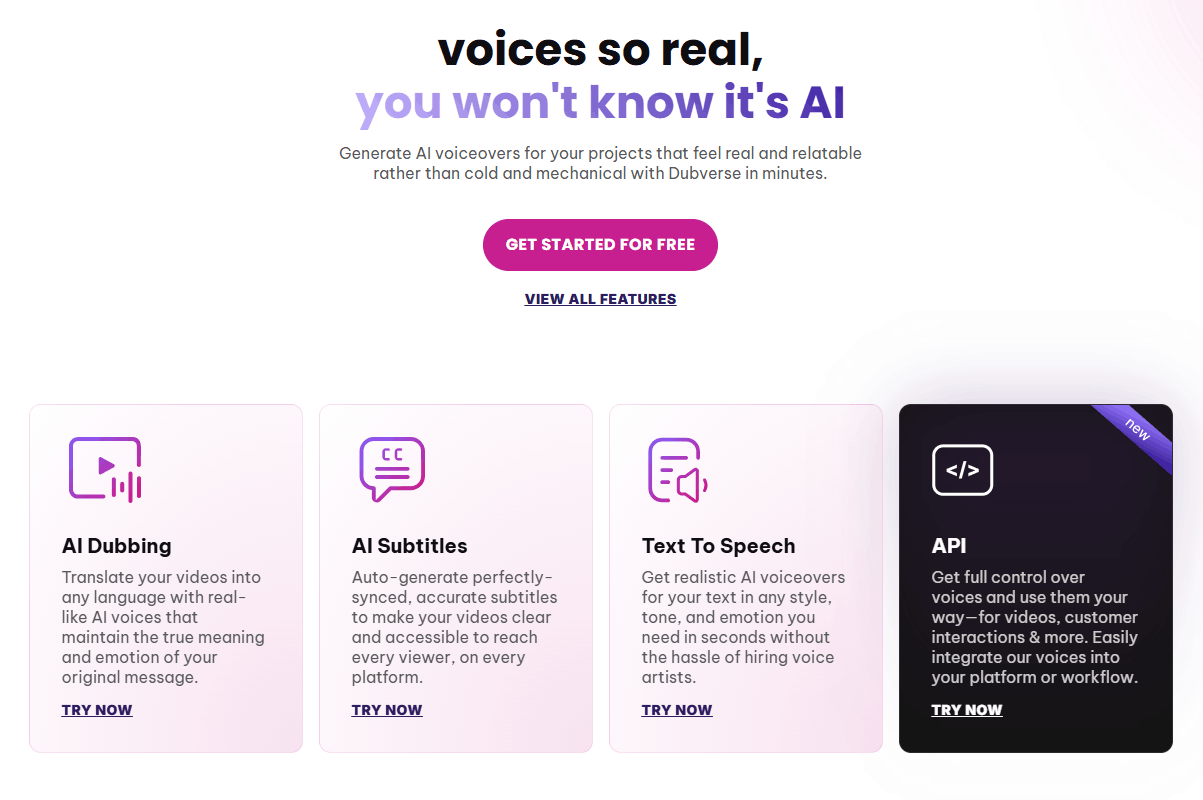
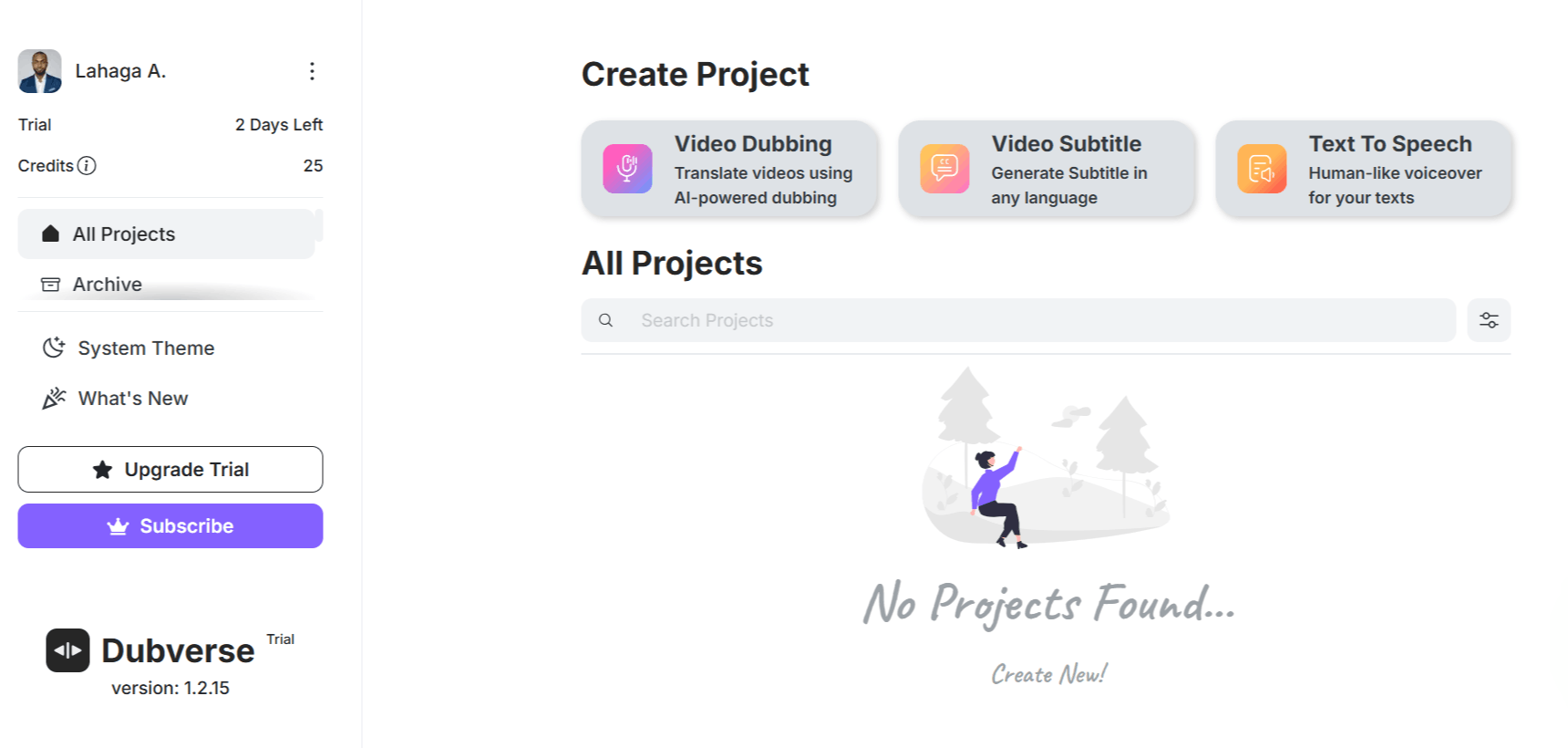
Dubverse offers a suite of tools built to streamline the audio-visual localization pipeline. By focusing on generative AI, the platform attempts to balance speed with output quality, catering to creators who need to generate localized content without constant manual intervention.
1. AI Dubbing
This is the main feature of the platform, enabling users to translate and dub videos into various languages. The system maintains the original message's emotion while adapting the speech to the target language, which is useful for creators looking for reliable AI dubbing free of the typical production bottlenecks.
2. AI Subtitles
Beyond audio, the system auto-generates synchronized subtitles. This feature is essential for accessibility and searchability, helping viewers follow along in noisy environments or when the audio might be secondary to the visual content.
3. Text To Speech
For projects that start with written scripts, the text-to-speech engine produces realistic voiceovers in various tones and styles. This eliminates the need to source external voice artists for simple narrations, and many users find this function as intuitive as using a dedicated Dubverse AI app.
4. Custom Voice Cloning
Users can replicate specific voices to ensure brand consistency across different languages and videos. This is particularly valuable for established influencers or corporate brands that require a recognizable, consistent audio identity in all their communications.
5. API Integration
For developers and larger enterprises, the platform provides API access to integrate these voice and dubbing capabilities directly into existing workflows or applications. This allows for automated, scalable production pipelines, which go beyond the standard Dubverse hub web interface.
6. Multi-Language Support
Supporting over 10 global and regional languages, the system handles complex translation needs. It even features multilingual comprehension, allowing for scripts that include Hinglish or Spanglish, which ensures the output sounds natural to local speakers.
7. Advanced Studio Tools
Inside the studio, users get granular control over the output, including the ability to redo segments, adjust ranges, and use custom transcript editing. These tools provide the necessary flexibility for professional video editing beyond simple automated tasks.
8. Batch Processing
The software supports simultaneous generation of multiple audio files. This is a critical time-saver for creators managing a series of tutorials or product demos that need to be localized in one go.
How Dubverse Works
The workflow on the platform is straightforward, emphasizing minimal manual effort while providing users with enough control to polish the final output. The process generally follows a standardized path from input to rendering.
Step 1: Log in to the Dubverse login portal and create a new project.
Step 2: Upload your source video file or paste a URL from a supported video platform.
Step 3: Select the target language and the specific AI voice profile you wish to use.
Step 4: The system analyzes the video and generates the dubbed audio track, applying the selected voice and timing.
Step 5: Enter the Advanced Studio to review the alignment of audio and subtitles, making adjustments if needed.
Step 6: Once satisfied, export the final video file with the new localized audio and synced subtitles.
Dubverse Pricing and Subscription Plans
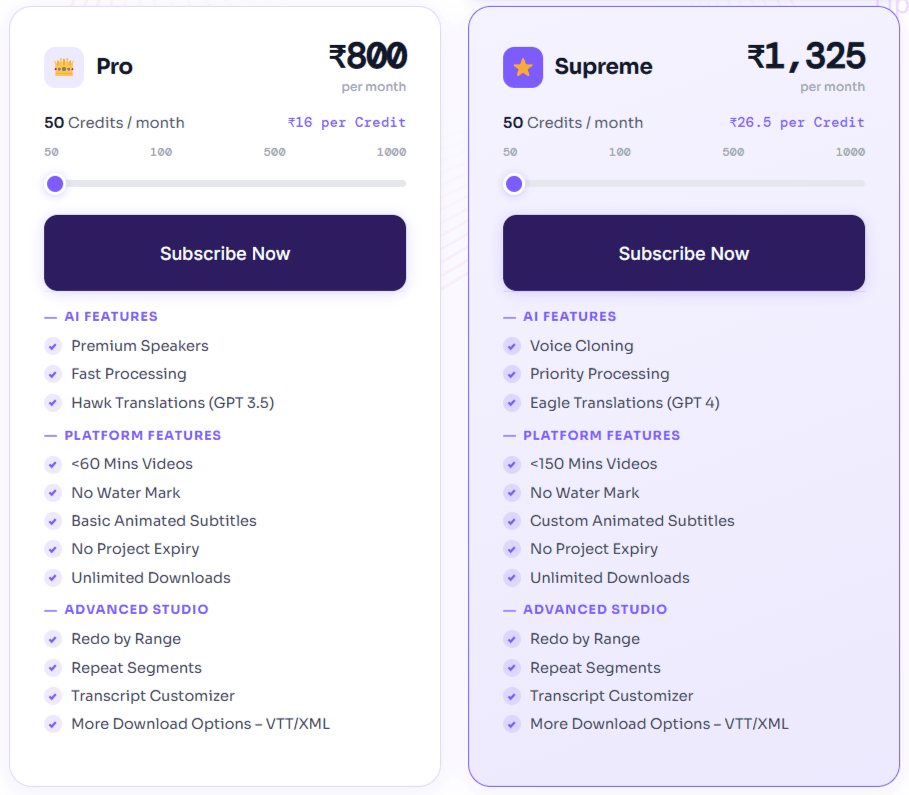
The platform uses a transparent, credit-based pricing model. Credits are deducted based on the type of service, dubbing, subtitling, or text-to-speech, ensuring that users only pay for what they consume.
1. Pro Plan
Available for approximately $18/month (or about ₹800 in India), this plan provides 50 credits. It includes standard translation quality (GPT-3.5), faster processing, and premium speaker access. It is best suited for individual creators.
2. Supreme Plan
At roughly $30/month (or ₹1,325 in India), this tier offers 50 credits with higher-end features. Key additions include GPT-4 translation, custom voice cloning, and priority processing. This is designed for power users who require higher accuracy.
3. Enterprise Plan
Custom pricing is available for organizations requiring bulk localization, custom AI model training, and advanced integration solutions. This plan is tailored for agencies or global brands managing large-scale video pipelines.
Note: Yearly plans are available for both Pro and Supreme tiers, offering significant discounts (up to 50% or more) compared to month-to-month billing. A 2-day free trial is available for new users to test the platform without a credit card.
Who Uses Dubverse
Many professionals use Dubverse to break language barriers in their video content.
Content Creators: YouTubers and influencers looking to reach international viewers by dubbing their existing content.
Marketing Teams: Businesses creating global ad campaigns that need to be quickly adapted for local markets.
Educators: Course creators and tutorial makers who want to make their instructional videos available to students across the globe.
SaaS Companies: Organizations producing product demos and onboarding videos that require consistent branding in multiple languages.
Agencies: Production houses that handle localization as part of their service offerings for various clients.
Dubverse Pros and Cons
Understanding the limitations and strengths of the tool is important before subscribing.
Pros
Natural Voice Quality: The generated voices sound realistic and avoid the "robotic" feel of older AI solutions.
Language Versatility: Strong support for various regional accents and languages makes it particularly effective for non-English markets.
No Credit Card Trial: A 2-day free trial allows users to explore the interface without immediate financial commitment.
Flexibility in Editing: The ability to tweak segments through the Advanced Studio is a major benefit for those needing precise, high-quality results.
Cons
Credit Consumption: You may find the credit system restrictive if you are translating long-form content frequently.
Advanced Feature Gating: Features like voice cloning are restricted to higher-tier plans, which can be an obstacle for smaller creators.
Occasional URL Errors: Pasting video URLs for specific platforms sometimes leads to errors.
Complexity for Beginners: While the tool is intuitive, achieving professional-grade lip sync and perfect translation accuracy may still require time to master the studio tools.
Dubverse Alternatives
When exploring alternatives to the Dubverse AI video dubbing ecosystem, it is helpful to look at tools that offer comparable translation and production capabilities.
Wavel
This platform focuses heavily on AI-driven dubbing and voice cloning. It is a solid choice if you prioritize diverse voice options and need specialized translation services for complex projects.
Rask AI
Often cited for its robust lip-sync and translation features, this tool is ideal for creators who need their translated videos to look as close to the original as possible. It is a premium alternative for those who need high-fidelity output.
Verbalate AI
This tool provides strong localization capabilities with a focus on ease of use. It is a good secondary option if you want a platform that emphasizes simplified, automated translation workflows.
Notta Showcase
While primarily known for transcription, it provides valuable tools for managing audio-to-text workflows. It is worth considering if your primary need is accurate subtitling rather than full video dubbing.
Revid AI
For those creating short-form content, this platform helps in transforming longer videos into social-media-ready clips. It fits well in a workflow where you need to dub and repurpose content simultaneously.
VideoExpress AI
This is a tool for generating video animations. You might choose this if your workflow is focused on producing new content rather than just localizing existing videos.
Final Verdict and Best For
Dubverse is a highly practical solution for content creators and marketers who need to localize videos efficiently without the high costs of traditional post-production.
It provides a balanced set of tools that feel modern and accessible, though users should be prepared to manage their credit usage carefully as their project volume grows.
On a scale of 1 to 10, it scores an 8/10, primarily for its balance of natural voice quality and ease of use. It is best for influencers, small businesses, and agencies that require a reliable way to scale content across languages
Frequently Asked Questions (FAQs)
This section answers common questions that potential users often ask about the Dubverse AI.
Is Dubverse safe and secure?
Yes, the platform is designed with professional standards in mind for content processing. Users should always review the platform's terms of service and privacy policy regarding their uploaded video data.
How much does Dubverse AI cost?
Pricing starts at approximately $18/month for the Pro plan and $30/month for the Supreme plan, with significant discounts available for annual billing. There are also custom plans available for enterprise-scale needs.
Is Dubverse AI free?
No, Dubverse is not a free platform, though it offers a limited free trial for new users to evaluate the tool's capabilities. A subscription is required to access the full feature set and ongoing usage.
What is Dubverse AI used for?
Dubverse AI is used to automate the localization of videos, allowing creators to reach viewers in different languages through realistic AI voiceovers and accurately synchronized subtitles.

Dubverse Alternatives
View All