Kaiber AI

Kaiber AI Features
Kaiber AI offers a set of tools aimed at managing the visual output of generative AI videos. Rather than focusing on simple text-to-video generation, the platform emphasizes control, temporal consistency, and specialized animation modes that allow users to steer the creative direction of their projects.
1. Video-to-Video Transformation
This feature allows users to upload their own footage and apply an AI-generated artistic style. It processes the input video frame-by-frame while using the original movement as a structural guide, ensuring the output retains the intent of the original video while changing its aesthetic.
2. Audioreactivity
Kaiber AI allows the visual animation to respond directly to the rhythm and frequency of an uploaded audio track. This is a common requirement for music videos where the visual movement should align with the beat, swells, or drops in a song, providing a more cohesive audio-visual experience.
3. Storyboard Tools
With the introduction of the storyboard feature, users can break a video into multiple segments. Each segment can be assigned a different prompt or set of parameters, allowing for more complex narratives that evolve over the duration of the clip rather than maintaining a single aesthetic for the entire length.
4. Animation Control
Users have access to parameters that influence how the AI interprets motion. By adjusting settings like motion intensity and camera movement, creators can influence the fluidity and intensity of the generated animation without needing to write complex prompts.
5. Motion Steering
This allows users to guide the movement within the generated scenes. It is particularly helpful for those who want specific elements to move in certain directions or at specific speeds, offering a layer of direction that is often missing from basic generators.
6. Multi-Segment Editing
Kaiber supports creating videos that are up to 60 seconds long. The platform enables users to define different styles and motions across these segments, facilitating the creation of structured, dynamic content that stays engaging throughout the entire duration.
7. User-Friendly UI
Unlike open-source environments that often require a command-line interface or complex local software configurations, Kaiber provides a web-based dashboard. This interface is designed to be accessible to those who might be intimidated by the technical setup found in more advanced AI workflows.
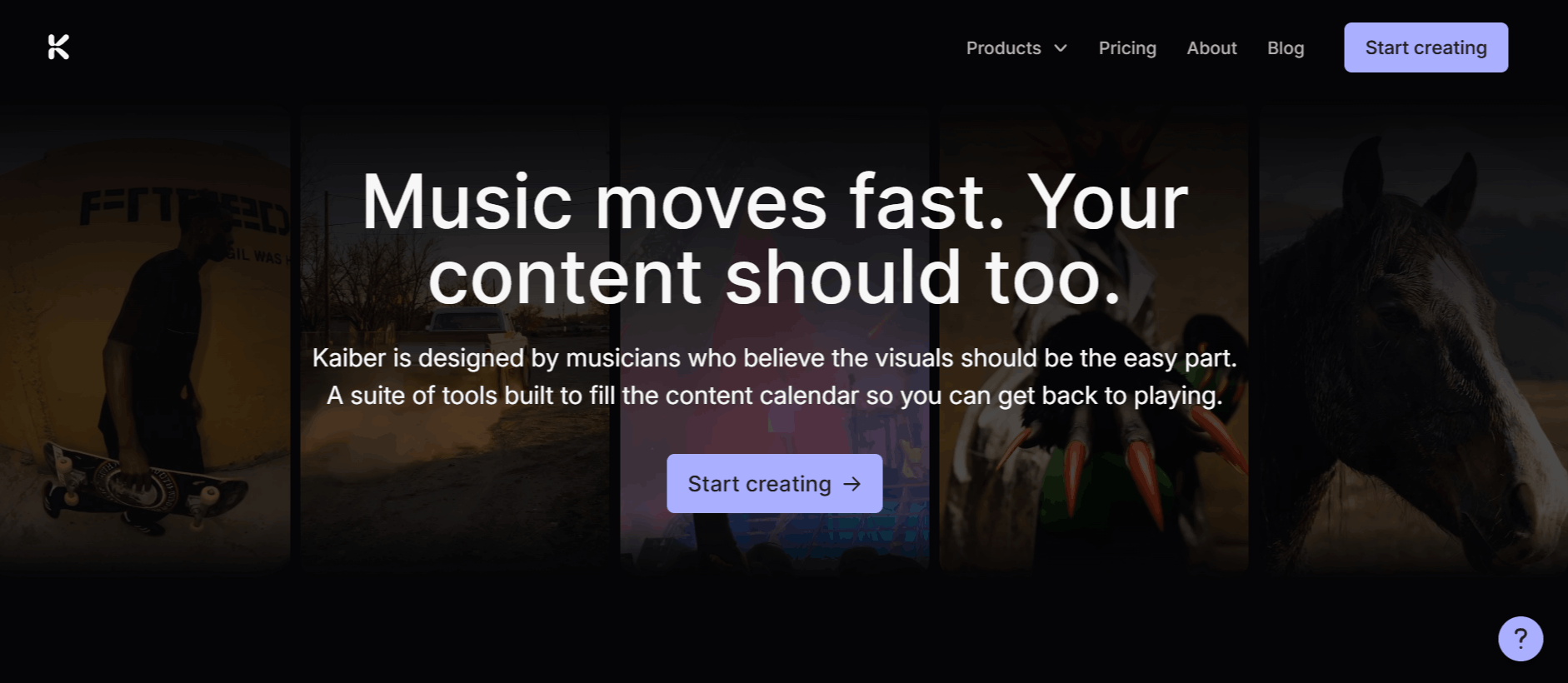
How Kaiber AI Works
Getting started with Kaiber AI is straightforward, progressing from initial setup to final rendering.
Step 1: Create an account via the Kaiber AI login page to access the dashboard.
Step 2: Choose your starting point, either by uploading a video for transformation or starting from scratch with a text-to-video prompt.
Step 3: Select an artistic style or provide a detailed prompt describing the look you want to achieve.
Step 4: Configure the specific settings like duration, aspect ratio, and motion parameters.
Step 5: If you want the visuals to react to sound, upload your audio file and calibrate the audio-reactivity settings.
Step 6: Use the storyboard tools to segment your video if you have a multi-part scene in mind.
Step 7: Preview your configuration and trigger the generation process.
Step 8: Once the processing is finished, download your video clip for use in your editing software.
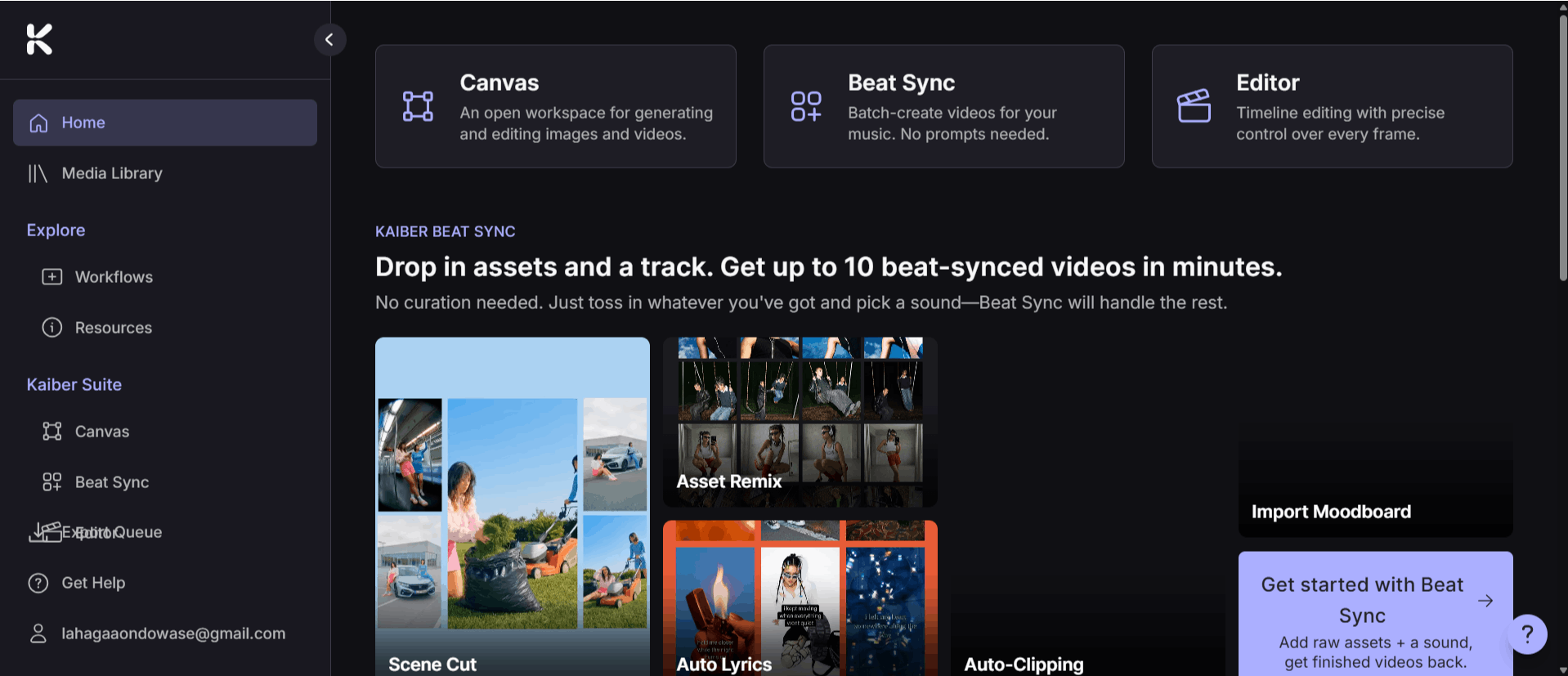
Kaiber Pricing and Subscription Plans
Kaiber operates on a credit-based subscription model. Users can choose between monthly and annual billing.
Here is a clear summary of Kaiber AI's pricing structure.
Trial Offer
Cost: $5 for 5 days.
Details: Full access to test the platform. After 5 days, it automatically converts to the Creator plan (cancel anytime).
Monthly Subscription Plans
Starter | Creator | Pro | |
Price | $10/mo | $29/mo | $99/mo |
Credits | 500/mo | 1,500/mo | 5,000/mo |
Canvas | 1 Canvas | 5 Canvases | Unlimited |
Beat Sync | No | Yes (Batch of 2) | Yes (Batch of 10) |
Editor | 1 Timeline Edit | Unlimited | Unlimited |
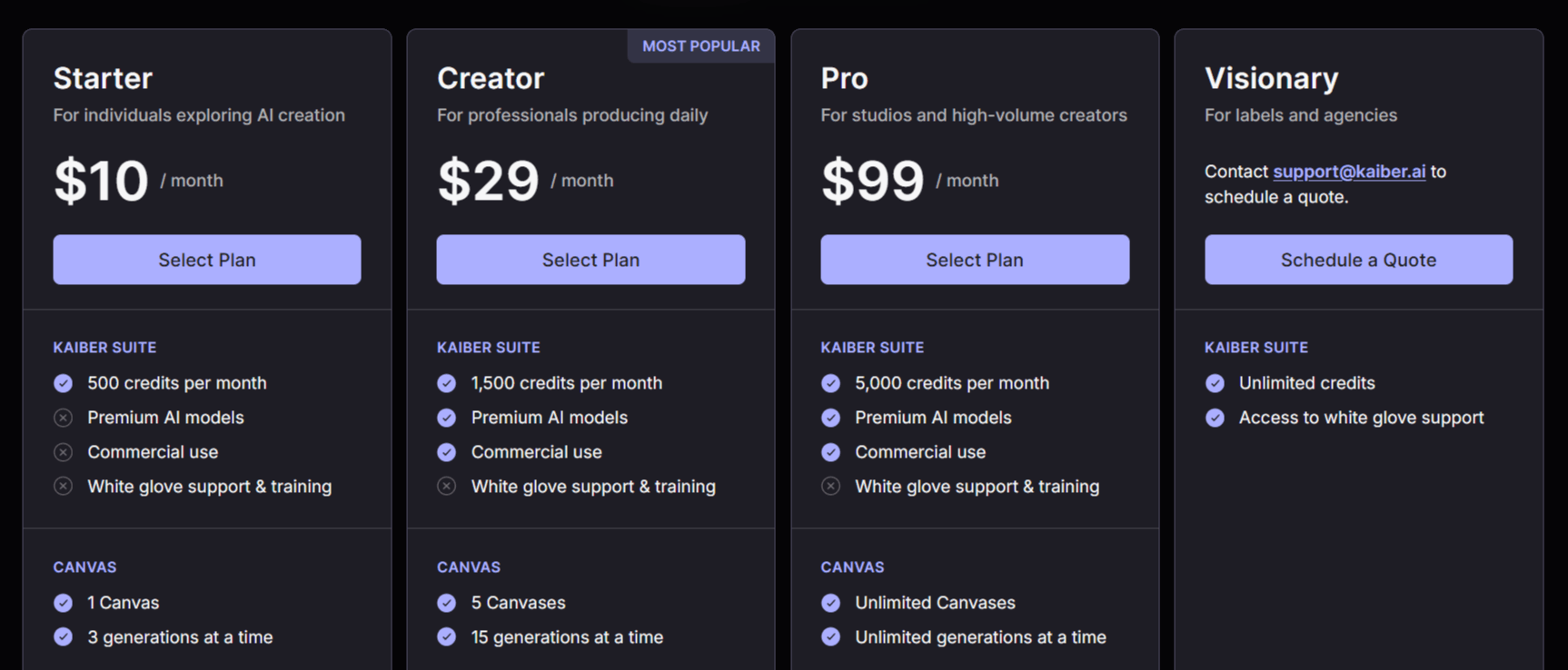
All plans include: Premium AI models, commercial use rights, and white-glove support/training.
Visionary Plan: For labels and agencies requiring unlimited credits, you will need to contact support for a custom quote.
On-Demand Credit Packs
If you run out of credits, you can purchase additional ones anytime:
Mini Pack: 300 credits for $5
Small Pack: 1,000 credits for $15
Big Pack: 3,500 credits for $50
Super Pack: 20,000 credits for $250
Who Uses Kaiber
Kaiber serves a different set of individuals who need to generate high-quality visual content quickly without a dedicated animation team.
Content Creators: Individuals looking to generate unique social media assets, Reels, or TikTok content that stands out.
Musicians and Bands: Artists creating music videos that synchronize visuals to their tracks using the audio-reactivity features.
Video Editors: Professionals who want to incorporate AI-generated sequences into their larger video projects for creative effect.
Marketing Teams: Small teams producing short, punchy promotional clips or social media advertisements.
Digital Artists: Creatives using the platform as a sketching tool or as a way to prototype visual concepts before committing to a full production.
Kaiber Pros and Cons
When evaluating a tool like this, it is helpful to look at the practical reality of daily use.
Pros
Streamlined Workflow: The platform effectively removes the need for complex technical configurations, making it one of the best options for beginners who want to use AI without Python or coding.
Strong Audioreactivity: The ability to sync visuals with music is a standout feature that works reliably for social media content.
Lengthier Clips: The ability to render up to 60-second videos is a significant advantage over some competing platforms that limit users to much shorter outputs.
Intuitive Interface: The UI is frequently described as clean and simple, helping users navigate the generation process without feeling overwhelmed.
Active Development: The development team is known for frequently releasing updates and new tools, such as the recent storyboard additions.
Cons
Processing Time: It takes time to generate videos when complex settings are applied.
Keyframe Consistency: There are occasional challenges with maintaining visual consistency between different segments or keyframes, which can require trial and error.
Credit Costs: Depending on usage, the credit system can become expensive for high volumes of content creation.
Final Verdict and Best For
Kaiber AI offers a compelling balance for creators who want the power of generative AI without the headache of managing local software or complex technical workflows. Its ability to create audioreactive, stylized videos up to 60 seconds long makes it a standout choice for musicians and social media content creators.
While processing speeds and occasional visual consistency hurdles remain, the platform's active development and intuitive interface earn it a solid 8/10. It is best suited for those who prioritize ease of use and creative output over the extreme technical control found in open-source AI projects.
If you are a professional animator looking for frame-by-frame manual control, you might find it limiting, but for the majority of modern content creators, it is a highly effective tool.
Frequently Asked Questions (FAQs)
This section addresses common questions from users exploring whether Kaiber AI is the right fit for their creative needs.
Is Kaiber AI free?
Kaiber is not free, though it may offer limited trials or promotional credits for new users. To use the platform for regular content creation, you must subscribe to one of their paid plans.
Is Kaiber AI any good?
Many creators find it to be a high-quality, reliable option for AI video production. Its popularity stems from its ability to provide professional-looking results with a very low learning curve compared to DIY AI workflows.
How much does Kaiber AI cost?
Pricing depends on the tier you choose, with monthly subscriptions typically starting around $15 per month. The annual plan offers a more cost-effective option for power users.
What is Kaiber AI used for?
It is used primarily for transforming existing footage into stylized AI art, creating audioreactive music videos, and generating short, artistic animation clips. It is a popular tool for content creators, musicians, and anyone looking to incorporate generative AI visuals into their projects.
What Are Credits in Kaiber?
Credits are what you use to generate content in Kaiber. Each time you generate an image or video, credits are used. The number of credits you get depends on the plan you choose.
How to Create a Video in Kaiber?
Log in to your Kaiber.ai account, click 'Create,' choose a video type, upload your media or enter a prompt, adjust settings, and generate your video. Detailed guides are available in the Kaiber Help Center.
Does Kaiber Have an App?
Yes! Kaiber has both Android and iOS Apps.
How Do I Contact Kaiber?
You can contact Kaiber through their email at support@kaiber.ai or use the chat box on their website. You can also check their Help Center or and engage with the community and experts on Discord for quick tips and help.