How to Use AI Video Editing Tools to Repurpose Instagram Reels in 2026
Creating engaging Instagram Reels, TikToks, and YouTube Shorts requires more than good footage. You need strong hooks, effective pacing, engaging captions, and quality editing. AI video editing tools can simplify this process by helping you analyze reference videos, generate subtitles, improve video quality, remove unnecessary sections, and repurpose existing footage. In this guide, I'll show you how to build an AI-assisted video editing workflow, explore useful AI video tools, and use reference videos to create better short-form content in 2026.
Why Short-Form Video Creators Need an AI Editing Workflow
Creating a good Reel involves more than recording a video and adding background music.
You need to think about the opening hook, storytelling, pacing, captions, visual quality, and how the final video will appear on different platforms.
Doing all of this manually can take considerable time, especially if you publish content regularly.
This is where AI video editing tools become useful.
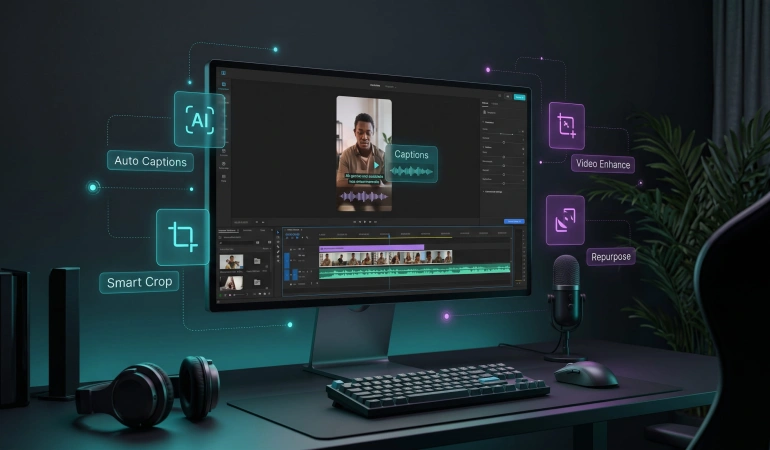
Depending on the software, AI can help with tasks such as:
Automatic transcription: Convert spoken words into editable text.
AI caption generation: Create subtitles without manually typing every sentence.
Smart video clipping: Identify interesting moments in longer recordings and turn them into short videos.
AI video enhancement: Improve the appearance of low-resolution footage.
Automatic reframing: Adjust video dimensions and keep the main subject in view.
Scene detection: Identify changes between shots and help organize footage.
Text-based video editing: Edit video content by modifying its transcript.
Background and audio enhancement: Remove unwanted backgrounds, reduce noise, and improve audio clarity.
Not every AI video editor offers all these features. Some specialize in transcription and captions, while others focus on video enhancement, automatic clipping, or complete editing workflows.
The important thing is to choose tools based on the editing tasks you actually need.
If you're still exploring the available options, our guide to the best AI video editors in 2026 covers different tools and their practical uses.
Building a Reference Library for Better Video Editing
Before using AI to edit anything, I recommend building a small collection of videos that you can study.
The idea isn't to copy another creator's content. It's to understand what makes certain videos effective and use those observations to improve your own work.
I keep two separate collections.
1. My Own Video Library
This folder contains original videos I've recorded or created.
I keep the original exports because they are useful for future editing projects.
For example, an older Instagram Reel can become the starting point for:
A shorter version for YouTube Shorts.
A different cut for TikTok.
A new video with updated captions.
A horizontal version for YouTube.
A compilation of related clips.
A refreshed version with improved audio or visual quality.
AI video repurposing tools can make this process considerably easier.
Instead of starting from scratch every time, you can reuse existing footage and let AI handle repetitive editing tasks.
2. Reference Videos From Other Creators
The second folder contains videos I find interesting while researching content ideas.
I pay attention to things such as:
How quickly the creator introduces the main topic.
The length of the opening hook.
How frequently the scenes change.
Whether captions appear throughout the video.
How the creator uses background music.
Whether transitions improve the storytelling.
How the video ends.
These observations help me understand different editing approaches.
I keep reference footage separate from my original content and use it for private analysis. If I want to reuse another creator's actual footage, audio, or other protected material in a published video, I obtain the necessary permission or license first.
Studying a video and having permission to republish it are two different things.
How to Prepare Video References for AI Editing
Once you have a collection of reference videos, the next step is preparing them for analysis.
For your own content, always prioritize original video files whenever possible. They generally provide a better starting point for editing, enhancement, and repurposing.
For public reference Reels, you may sometimes need to access the video file before analyzing it.
Instagram provides its own download and account information options, although availability and quality can vary depending on the content and account settings.
There are also browser-based services such as SssInstagram Reels Downloader that allow users to download publicly accessible Reel videos through a browser.
If you use an external downloader, avoid sharing your Instagram password with third-party services. Also, respect Instagram's terms, applicable copyright laws, and the creator's rights. Public availability does not automatically grant permission to reuse a video.
Once you have footage you are authorized to process, organize the files into folders and give them descriptive names.
For example:
2026-product-demo-hook.mp4
2026-tutorial-fast-pacing.mp4
2026-instagram-reel-captions.mp4
2026-brand-video-transition.mp4
A simple naming system makes it easier to find specific footage when you need it.
The AI Video Tools I Would Use for This Workflow
This is where the workflow becomes more interesting.
Different AI video tools solve different problems. You don't necessarily need an expensive all-in-one editing platform when a few specialized tools can handle the tasks you perform most frequently.
Here are five categories worth exploring.
1. AI Transcription and Caption Generation
The first thing I like to examine in a short-form video is its spoken content.
A good opening hook can determine whether someone continues watching or scrolls to the next video.
AI transcription tools convert speech into text, making it easier to study how creators introduce topics, explain ideas, and deliver their messages.
For example, you can transcribe 20 reference Reels and compare their opening sentences in one document.
You may notice that some creators introduce a problem immediately, while others use a question, surprising statement, or short story to capture attention.
AI transcription makes this kind of research easier.
Tools such as Descript and Exemplary AI offer transcript-based workflows that can help creators work with spoken video content.
You can also explore AI transcription tools to find software suited to your workflow.
For your own videos, automatic caption generation is equally useful. Instead of typing every sentence manually, you can generate subtitles and correct mistakes before publishing.
Remember to review names, technical terms, slang, and punctuation. Automatic transcription is helpful, but it isn't always accurate.
2. AI Video Upscaling and Enhancement
Some older videos may look noticeably worse than the content you're publishing today.
They may have been recorded on an older smartphone, exported at a lower resolution, or compressed several times before upload.
AI video upscaling tools can help improve the appearance of this footage.
Depending on the software, they may help:
Increase video resolution.
Reduce visible compression artifacts.
Improve perceived sharpness.
Reduce certain types of visual noise.
Restore some details in older footage.
However, AI upscaling isn't magic.
It cannot reliably recover every detail that was never captured in the original recording. Results also depend on the source footage, resolution, compression, and the enhancement model being used.
I recommend keeping an untouched copy of the original video before applying any enhancement.
This way, if the result looks unnatural, you can return to the original file and try different settings.
3. AI Video Repurposing and Automatic Clipping
This is one of the most useful applications of AI for creators who publish regularly.
Imagine recording a 20-minute interview, tutorial, podcast, or product demonstration.
Manually watching the entire recording to find interesting sections can take a lot of time.
AI video repurposing tools can analyze longer recordings and help identify potential highlights.
Depending on the platform, they can also:
Extract shorter clips from long videos.
Identify interesting spoken sections.
Generate captions automatically.
Reframe horizontal footage into vertical videos.
Prepare multiple short-form versions.
Add templates and visual elements.
Tools such as OpusClip and Vizard are examples of platforms designed to help with this type of workflow.
They can be particularly useful for YouTube creators, podcast producers, educators, and social media marketers who want to turn one recording into several pieces of content.
For more options, explore our collection of AI video repurposing tools.
The important thing is to review every automatically generated clip.
An AI tool might identify an interesting sentence but remove the context that makes it meaningful. A human review is still necessary before publishing.
4. Text-Based AI Video Editing
Traditional video editing usually involves moving through a timeline, selecting clips, trimming unwanted sections, and adjusting individual elements.
Text-based video editing offers another approach.
Instead of working exclusively with a timeline, you can edit a video by modifying its transcript.
For example, if you recorded a tutorial and repeated the same sentence three times, you can locate those sections in the transcript and remove the unnecessary parts.
This can make editing interviews, podcasts, tutorials, and talking-head videos much faster.
Descript is one example of a video editor built around this approach.
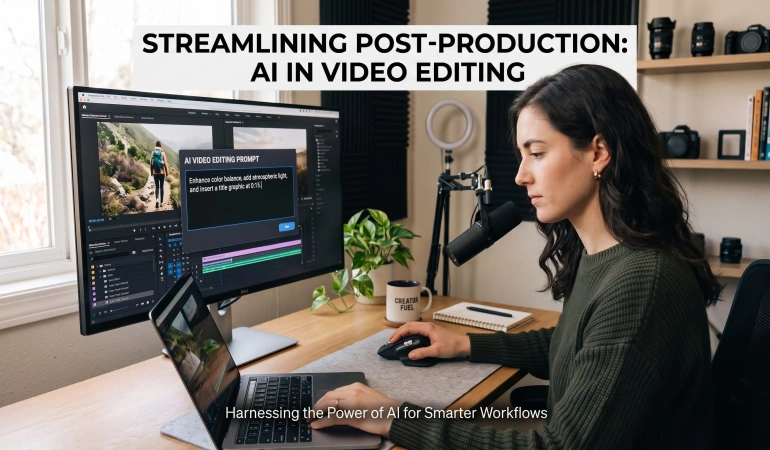
Some AI editing platforms also support natural-language instructions.
You might give an AI video editor a prompt such as:
"Remove long pauses, keep the important explanations, add captions, and create a shorter version for Instagram Reels."
Depending on the tool, it may perform some of these actions or suggest changes for you to review.
For more practical examples, see our guide on AI video editing with prompts.
5. AI Reframing and Automatic Video Formatting
A video recorded in landscape format may not look right when uploaded to Instagram Reels or YouTube Shorts.
You could manually resize the footage and adjust the crop, but this becomes repetitive when you have several videos to prepare.
AI-powered automatic reframing tools can help solve this problem.
They analyze the footage and attempt to keep the main subject within the frame when converting videos between different aspect ratios.
For example:
16:9 for traditional YouTube videos.
9:16 for Instagram Reels, TikTok, and YouTube Shorts.
1:1 for square social media content.
Some video editors also offer subject tracking, which helps maintain the position of a person or object as they move through a scene.
Adobe Premiere Pro includes AI-assisted editing capabilities, including automatic reframing features.
However, automatic cropping doesn't always produce the right composition. A person may move outside the expected area, or important visual details may be cut off.
Always preview the final video in its intended format before exporting.
A Practical Weekly AI Video Editing Routine
You don't need to spend hours researching editing techniques every day.
A simple routine can help you improve your content while making better use of AI video editing software.
Here's how I would organize it.
Monday: Research and Collect References
Spend some time looking at Reels, TikToks, and YouTube Shorts in your niche.
Save videos that demonstrate interesting editing techniques, strong openings, effective storytelling, or useful visual transitions.
Don't collect everything you see.
Focus on videos that teach you something you can apply to your own content.
Wednesday: Analyze and Transcribe
Choose a few reference videos and use an AI transcription tool to extract their spoken content.
Study the opening hooks, sentence structure, and pacing.
You can also examine your own videos to identify unnecessary sections, weak introductions, and opportunities to improve your captions.
Friday: Improve and Repurpose Your Own Content
Choose an older video from your original library.
Depending on what it needs, you could:
Generate updated captions.
Remove unnecessary pauses.
Improve the audio.
Upscale the footage.
Create a shorter version.
Reframe it for another platform.
You don't need to apply every AI feature to every video.
Use the tools that solve the actual problems in your footage.
End of the Month: Review Your Results
Look at the videos you've edited and published.
Which introductions worked best? Which videos kept viewers interested? Did shorter edits perform better than longer ones?
Use your observations to improve the next batch of content.
AI can help organize and analyze video material, but your own understanding of your audience should guide the creative decisions.
Common Mistakes to Avoid When Using AI Video Editing Tools
AI can make video production easier, but there are a few mistakes worth avoiding.
Expecting AI to Fix Every Bad Video
An AI upscaler might improve the appearance of low-resolution footage, but it cannot guarantee professional-quality results from every source.
Likewise, automatic clipping cannot guarantee that every selected moment will be interesting.
Good source material still matters.
Publishing AI-Generated Captions Without Reviewing Them
Automatic captions sometimes misunderstand names, accents, slang, and technical expressions.
Always review the generated subtitles before publishing.
Incorrect captions can confuse viewers and make an otherwise professional video look unfinished.
Copying Other Creators' Editing Styles Too Closely
Studying successful Reels is useful, but copying another creator's footage, script, or distinctive creative work is not a sustainable content strategy.
Use reference videos to understand techniques and develop your own approach.
Using Too Many AI Tools
You don't need a separate AI application for every small editing task.
Start with the features you actually need.
For example, if you mainly publish talking-head videos, transcription, automatic captions, and silence removal may be more valuable than advanced video generation features.
Choose software that fits your workflow instead of subscribing to every new AI video platform.
Forgetting to Keep Original Files
Always preserve your original recordings and exports.
AI enhancement, compression, editing, and format conversion can change the source file.
Keeping an untouched version means you can return to it whenever you need to make a different edit.
Final Thoughts
Building a better short-form video workflow isn't necessarily about finding the most advanced AI video editor.
It's about understanding where AI can save time and using the right tools for each stage of production.
A reference library can help you study hooks, pacing, captions, and storytelling. AI transcription makes spoken content easier to analyze. Video repurposing tools can help turn longer recordings into shorter clips, while enhancement and reframing features make it easier to prepare existing footage for different platforms.
The best approach is to start with your own content, identify the editing tasks that take the most time, and choose AI video tools that address those specific problems.
AI should make the editing process easier, not take away your creative judgment.
If you keep your original footage, respect content ownership, and review AI-generated edits before publishing, you can build a much more efficient video creation workflow in 2026.

Lahaga Aondowase
Is the founder of AI Video Tools Pro, an AI video tools directory that helps creators, marketers, educators, and businesses discover AI video software. He researches and evaluates AI video tools based on their features, use cases, pricing, and practical workflows.
Connect on LinkedInRelated Articles
View All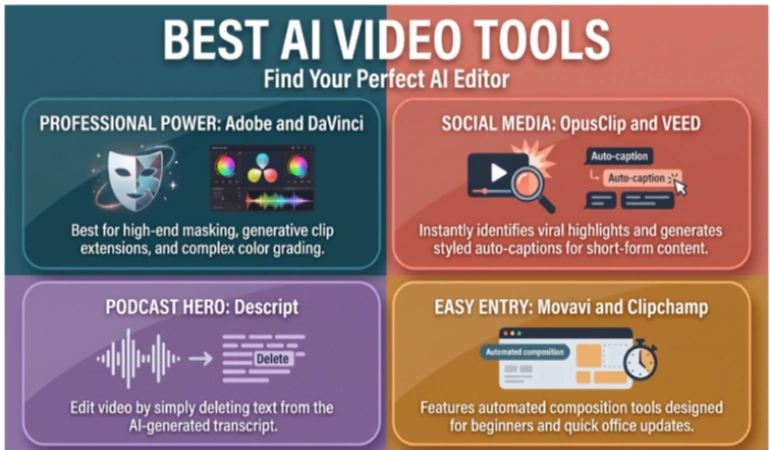
User Comments (0)