AI Video Generators vs Presentation Tools: When to Use Each (and Best Tools)
AI has transformed the way people create content. What used to take teams, costly equipment, and lots of time can now be done in just minutes. Two of the most popular tools for this are AI video generators and AI presentation makers. At first, these tools might seem similar. They both turn ideas into visual content, use automation, and are common in marketing, education, and business. However, in reality, they address different needs. This guide explains the key differences between AI video generators and AI presentation makers. It focuses on real workflows, use cases, and practical decisions to help you pick the right tool for your needs.
April 09, 2026 18:01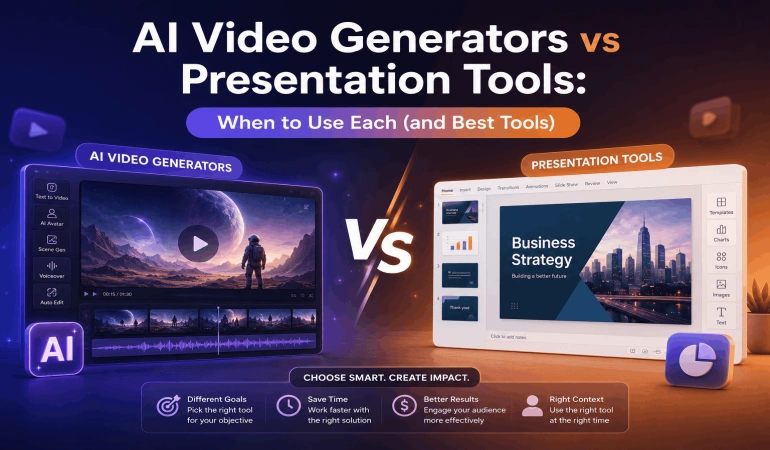
What is an AI Video Generator?
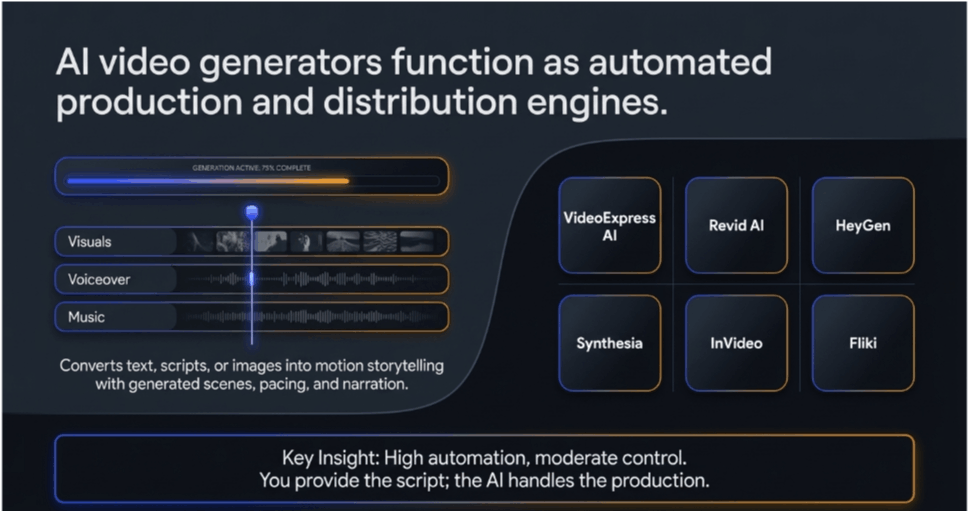
An AI video generator lets you create videos from text, images, or scripts. You don’t need a camera, actors, or editing software.
Just enter your idea, and the tool makes a full video with visuals, transitions, and voiceover.
These tools typically work in three ways:
Text-to-video (most common)
Image-to-video
Script-to-video
The AI takes care of creating scenes, pacing, and narration, so you don’t have to edit clips manually.
For creators and businesses focused on growth, AI video generators are not just tools; they are distribution engines.
They allow you to turn ideas into content that can be published across multiple platforms, helping you reach larger audiences without increasing production costs.
If your goal is visibility, engagement, or monetization, AI video tools play a central role.
Examples of AI Video Tools
Here are some widely used AI video generators:
VideoExpress AI: Generative and animated video features.
Revid AI: Short video for YouTube and TikTok.
HeyGen: AI avatar-based videos with realistic presenters.
Synthesia: Corporate training and multilingual video creation.
InVideo: Template-based and AI-assisted video production.
Fliki: Converts blog posts into narrated videos.
Each tool has its own strengths, so it’s important to know what you need before choosing one. A practical example of this workflow is turning PowerPoint presentations into videos using FlexClip.
Choosing the right AI video tool can be challenging due to the many options available. If you’re exploring the best AI video tools for your workflow, platforms like AI Video Tools Pro curate and compare top-performing tools based on real use cases such as content creation, marketing, automation, and video scaling.
This makes it easier to choose the right tool depending on whether you’re creating social media content, YouTube videos, ads, or training materials.
What is an AI Presentation Maker?
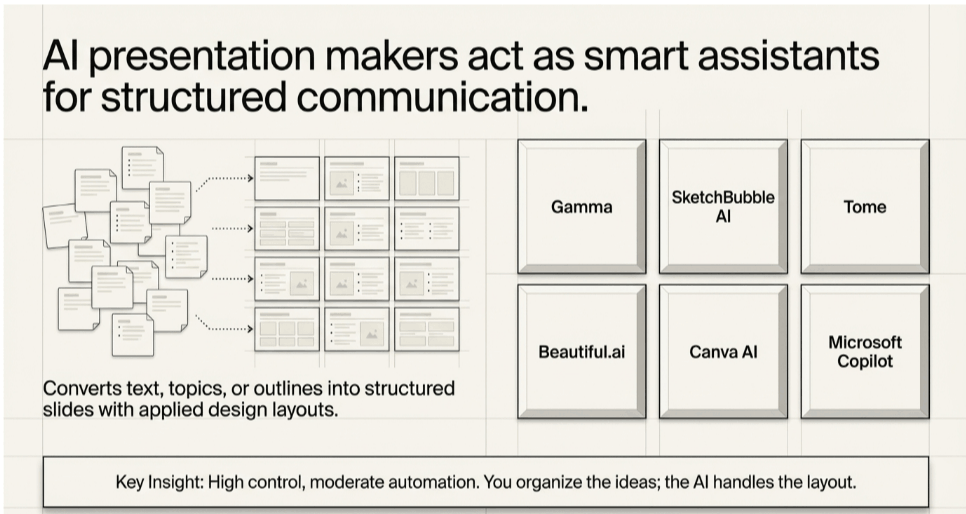
An AI presentation maker helps you create slide-based presentations automatically. It saves you the effort of making slide decks from scratch.
You provide a topic or outline, and the tool generates:
Slides
Text content
Layouts
Visual elements (icons, charts, images)
Basically, it works like a smart assistant that turns your ideas into organized, visually appealing slides.
Examples of AI Presentation Makers
Here are some widely used AI presentation makers:
Tome
Beautiful.ai
Canva AI
Microsoft Copilot (PowerPoint)
Unlike video tools, these platforms help you organize your ideas and information instead of telling stories with moving images.
While both tools are useful, the real shift in content creation today is happening in video.
Platforms like YouTube, TikTok, and Instagram are prioritizing video-first content, making AI video generators far more impactful for creators, marketers, and businesses looking to scale reach and engagement.
This is why many creators are increasingly prioritizing AI video tools over traditional presentation workflows.
Core Difference: Video Generator vs. Presentation Maker
The simplest way to understand the difference:
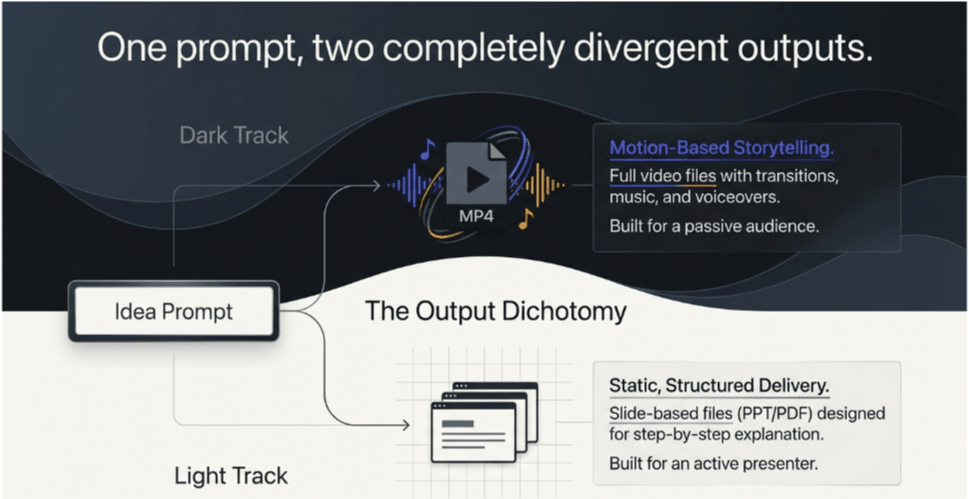
AI video generators create motion-based storytelling.
AI presentation makers create static, structured slides.
But the real difference goes deeper.
1. Output Format
AI video generators create full video files, like MP4s. These videos have motion, transitions, background music, and often voiceovers. The finished product is ready to watch and doesn’t need a presenter.
AI presentation makers produce slide-based files like PowerPoint, PDFs, or web decks. These are meant to be shown step by step, usually with a speaker guiding the audience.
Practical impact:
Use video when your audience is passive (watching).
Use slides when you are actively presenting.
2. Content Style
AI video tools are built for storytelling. They break content into scenes, often with a story flow and voice narration. The aim is to keep viewers interested both visually and emotionally.
AI presentation tools focus on making things clear and organized. They use bullet points, headings, and short explanations. Visuals help get the message across, but don’t take center stage.
Example difference:
A video might tell a story about a product.
A presentation will explain the product in clear sections.
3. Level of Automation
AI video generators do most of the work for you. Just enter a script, and the tool generates scenes, visuals, voiceovers, and transitions on its own. Some tools even manage pacing and timing.
AI presentation makers offer moderate automation. They can draft slides from a topic or outline, but you’ll still need to fine-tune the content, adjust the layout, and make sure everything flows well.
Key takeaway:
Video tools can create near-finished outputs quickly, while presentation tools act more like smart assistants.
4. Creation Workflow
AI Video Workflow
Write a script
Input into the tool (e.g., Runway, InVideo)
AI generates scenes and visuals
Add voiceover (AI or real)
Export video
AI Presentation Workflow
Input topic or outline
AI generates slides
Edit content and design
Add data or visuals
Present or export
Key insight:
Video tools take care of the production process.
Presentation tools help you communicate your ideas.
5. Use Cases
Knowing when to use each tool is the key to getting the most out of them. Even in the same company, AI video generators and AI presentation makers are often used for different tasks.
Let’s look at some real-world examples to make this clearer.
AI Video Generators
Best for passive consumption and high engagement:
Social media content (Reels, Shorts, ads)
YouTube automation (script-to-video)
Training videos (especially with avatars)
Product demos and explainers
Marketing campaigns
With these tools, you don’t have to worry about filming, editing, or recording voices yourself.
AI Presentation Makers
Best for interactive or structured delivery:
Business presentations and pitch decks
Educational lectures and course slides
Internal reports and meetings
Client proposals
Strategy and planning documents
They help you organize information clearly, making it easier to make decisions or have discussions.
In practice, AI video generators are often the final output layer of modern content workflows.
Many creators start with ideas or outlines (sometimes using presentation tools), but ultimately convert them into videos because video content performs better across most digital platforms.
6. Skill Requirement
AI video tools work best if you know a bit about scripting, pacing, and storytelling. The better your prompts, the better your videos. Some advanced tools might take a little time to learn.
AI presentation generators are beginner-friendly. They work similarly to traditional tools like PowerPoint, so most users can start quickly with minimal learning.
7. Customization vs. Control
AI video generators focus on automation, which sometimes means you have less manual control. You can do advanced editing, but it can be tricky or time-consuming.
Presentation makers offer high control. You can easily tweak layouts, edit text, adjust visuals, and customize every slide to your needs.
In short:
Videos are faster but offer less control. Presentations let you be more precise and flexible.
8. Time Investment
AI video creation is much quicker than traditional video production, but you’ll still need to make a few rounds of changes, especially for the script, visuals, and timing.
AI presentation tools can make a first draft very quickly. But you’ll still need time to polish the slides, refine your message, and align the visuals.
While both tools serve different purposes, AI video generators generally offer a higher return on attention, especially in today’s content-driven digital landscape, where video consistently outperforms static formats.
To summarize these differences more clearly, here’s a side-by-side comparison:
Comparison Table
Presentation-to-Video Tools
As content workflows evolve, a new category of tools is starting to bridge the gap between AI presentation makers and AI video generators.
These are often referred to as presentation-to-video tools.
Instead of choosing between slides or video, these AI tools allow you to convert structured content directly into engaging videos.
Here’s how they typically work:
Start with a topic, outline, or slide deck
Generate structured content (similar to a presentation)
Automatically transform each section into video scenes
Add voiceover, visuals, and transitions
Export as a complete video
This removes the need to manually rewrite slides into scripts or rebuild content from scratch.
When This Approach Makes Sense
Presentation-to-video tools are especially useful when:
You already have slides or structured content.
You want to repurpose presentations into video content.
You are creating courses, training materials, or explainers.
You want both clarity (from slides) and engagement (from video).
Why It Matters
This workflow reflects how modern content is increasingly created:
Structure ideas like a presentation.
Deliver them like a video.
For creators and businesses, this means faster production, better consistency, and the ability to scale content across platforms without duplicating effort.
Some AI video platforms, such as FlexClip PPT to video, Pictory AI, Synthesia, and InVideo AI, already support structured content workflows, making this transition easier.
Real Workflow Examples
Example 1: Marketing Campaign
Goal: Promote a product online.
Using AI Video Generator:
Write a script.
Use InVideo or Runway.
Generate a video ad.
Publish on Instagram.
Using AI Presentation Maker:
Create a pitch deck for the internal team.
Use slides for planning a campaign.
Conclusion: The video tool is for the audience, the presentation tool is for the team.
Example 2: Online Course Creation
Using AI Video Generator:
Convert lessons into videos.
Use avatar tools like HeyGen.
Add voice narration.
Using AI Presentation Maker:
Create lecture slides.
Use during live teaching.
Best approach: Combine both.
Example 3: Startup Pitch
Using AI Presentation Maker:
Create a pitch deck.
Present to investors.
Using AI Video Generator:
Create a demo video of the product.
Share asynchronously.
When to Use
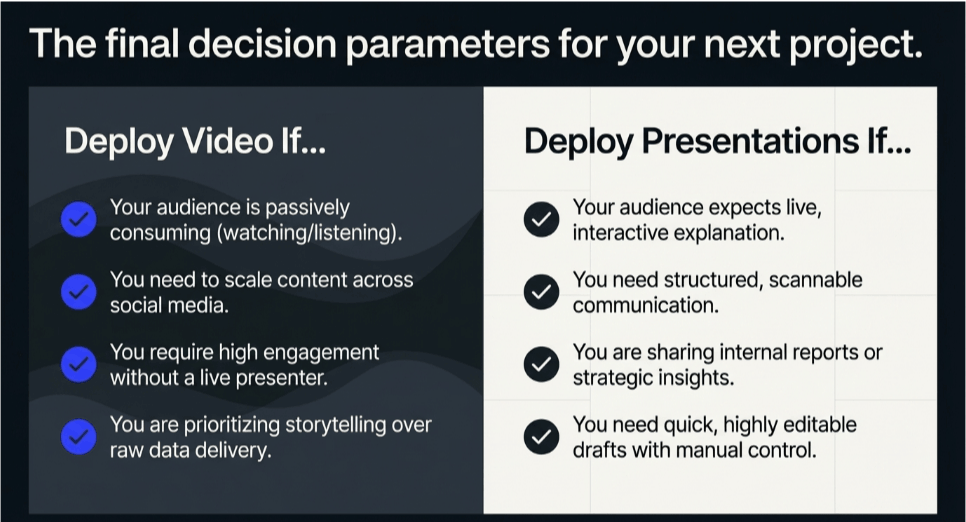
Use AI video tools if:
You need content for social media.
You want high engagement.
Your audience will not interact live.
You want to scale content creation.
You are creating ads or storytelling content.
Use presentation tools if:
You are explaining ideas live.
You need structured communication.
You are sharing reports or insights.
You need quick, editable slides.
Limitations to Consider
Limitations of AI Video Generators:
Output inconsistency in complex scenes.
Limited control in some tools.
Credits/pricing models can be restrictive.
Quality varies depending on prompts.
Even the most advanced tools sometimes have trouble keeping scenes consistent.
Limitations of AI Presentation Makers:
Less engaging than video.
Limited storytelling capability.
Often requires manual editing.
Presentations can feel generic if you don’t customize them.
Emerging Trends
AI video tools are evolving rapidly.
Recent developments include:
Realistic avatars and voice cloning.
Cinematic-quality video generation.
Integration with platforms like Google Vids.
Multimodal inputs (text, image, audio).
Tools are moving toward making video creation as easy as writing text.
Meanwhile, presentation tools are becoming more interactive, blending slides with AI-generated visuals and storytelling.
Choosing the Right Tool
Ask yourself these questions:
Is my audience watching or listening?
Do I need storytelling or structured information?
Am I creating content or presenting ideas?
How much control do I need?
Simple Rule
Choose AI video generators for content creation.
Choose AI presentation makers for communication.
Final Thoughts
AI video generators and AI presentation makers are complementary, but not equal in impact.
Presentation tools help structure ideas, but AI video tools bring those ideas to life and distribute them at scale.
For creators, marketers, and businesses focused on growth, visibility, and engagement, AI video generators are becoming an essential tool.
A practical approach is to use presentation tools for planning, then leverage AI video tools to turn those ideas into high-performing content.
As the online space continues shifting toward video-first experiences, choosing the right AI video tools will play a critical role in staying competitive.

Lahaga Aondowase
I'm passionate about empowering creators through the power of AI. As the founder of AI Video Tools Pro, I aim to banish the time-wasting struggle of finding the perfect AI video tools for your content creation.
Related Articles
View All


User Comments (0)

