
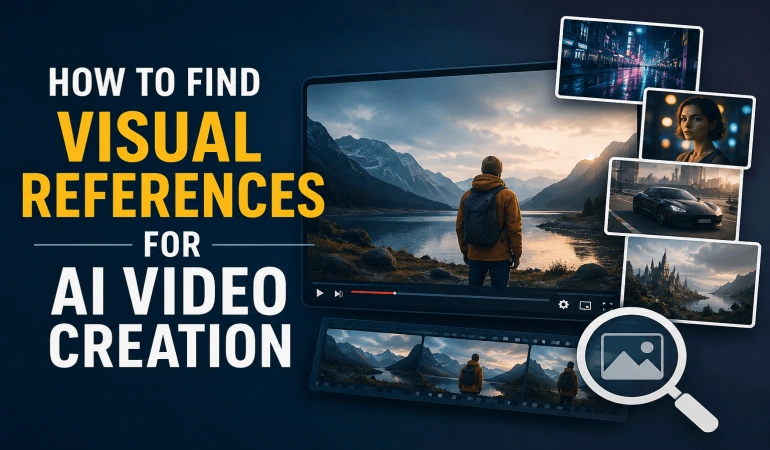
How to Find Visual References for AI Video Creation
Creating an AI video can be as simple as writing a prompt, but getting the exact look you want can be much harder. A prompt may describe a woman walking through a city, for example, but it doesn't always communicate the camera angle, lighting, composition, colors, or environment you have in mind. That's where visual references for AI video can help. A visual reference can be a photograph, video frame, illustration, product image, AI-generated image, or even a photo you took yourself. This guide explains how to find visual references for AI video creation, where to find them, what makes a good reference, and how to use them effectively.
What Is a Visual Reference for AI Video?
A visual reference is an image or video that helps communicate the creative direction of an AI-generated video.
For example, suppose you want to create a video of a woman walking through a rainy city at night. Instead of only writing:
"A woman walking through a city at night in the rain."
You could find a reference that shows the type of city, lighting, framing, colors, and atmosphere you want.
A useful reference can help communicate:
Subject: Person, product, animal, vehicle, or object
Composition: How subjects are positioned in the frame
Camera angle: Close-up, wide shot, low angle, overhead, etc.
Lighting: Natural, studio, neon, dramatic, soft, or backlit
Environment: City, beach, office, forest, futuristic setting, etc.
Color: Warm, cool, muted, vibrant, or monochromatic
Character details: Clothing, pose, hairstyle, and accessories
The reference doesn't have to be an exact example of your finished video. It can simply communicate one part of your creative idea.
Why Use Visual References for AI Video Generation?
You don't need a reference to create an AI video. Many AI video tools can generate videos entirely from text.
However, references can be valuable when you have a specific visual idea that is hard to explain in words.
1. Turn vague ideas into specific instructions
Words such as "cinematic," "beautiful," or "dramatic" can mean different things.
A reference lets you identify what you actually mean.
For example, instead of simply asking for a "cinematic" video, you might notice that your reference has:
A wide composition
Soft lighting
Shallow depth of field
Strong foreground and background separation
Slow camera movement
Muted colors
You can then incorporate those observations into your AI video prompt.
2. Help with visual consistency
References can also help maintain a consistent appearance across multiple AI-generated scenes.
For a short film or marketing video, you might want the same:
Character appearance
Color palette
Lighting direction
Environment
Cinematography
A small collection of carefully selected AI video references can provide a consistent visual direction.
3. Support image-to-video workflows
Visual references are especially useful for image-to-video generation. Tools like VideoExpress AI, MagicLight, Pictory AI, Higgsfield, etc.
A typical workflow might look like:
Text prompt → AI image → Image-to-video generation → Finished video.
The image establishes the starting appearance, while the video prompt describes the movement and action.
What Makes a Good AI Video Reference?
Not every attractive image is a useful reference. The best visual references for AI video generation are clear, relevant, and provide usable information.
Choose a clear subject
If you're creating an AI video about a sports car, for example, a clear photograph of the car may be more useful than a complicated image where the vehicle is barely visible.
Study the composition
Ask:
Where is the subject positioned?
How much of the frame does it occupy?
What is visible behind it?
Is there negative space?
Is the camera close or far away?
These details can become part of your AI video prompt.
Look at the camera angle
Don't just ask whether you like an image. Ask why you like it.
Perhaps the camera is low to the ground, making the subject appear powerful. Or maybe it's a close-up that creates an intimate feeling.
Identifying these details makes the reference much more useful.
Analyze the lighting
Look at the direction and quality of the light.
Is it:
Soft or harsh?
Warm or cool?
Natural or artificial?
Coming from the front, side, or back?
Creating strong shadows?
These observations can help you describe the lighting more precisely.
Think about movement
Remember that you're creating a video, not a still image.
When studying a reference, ask:
How could the subject move?
How could the camera move?
What could happen in the background?
What could happen before or after this frame?
A photograph can communicate appearance, but a video reference can also show movement and pacing.
Where to Find Visual References for AI Video
There isn't one perfect source. The best option depends on what you're trying to create.
Image Search Engines
Image search is one of the easiest ways to find reference images for AI video.
Instead of searching for a broad term such as:
car
Use a more descriptive search:
black sports car low angle cinematic lighting
You can combine:
Subject + Environment + Composition + Lighting + Mood
For example:
cinematic woman walking in rain
futuristic city night wide shot
dramatic studio product lighting
tropical beach sunset cinematic
luxury car low angle wide shot
A specific search can produce references that are much more useful for AI video creation.
Video Platforms
Video references are particularly useful because they show movement.
You can study:
Camera movement
Subject movement
Pacing
Product demonstrations
Acting and body movement
Environmental movement
Transitions
Scene composition
For example, a product photograph can show you what a smartphone looks like, while a commercial can show you how the camera moves around the product.
You can also pause a video and capture an interesting frame to use as a visual reference.
Stock Image and Video Libraries
Stock libraries can provide professional photographs and footage covering subjects such as people, products, locations, landscapes, and commercial scenes.
Stock video is particularly useful when researching:
Camera movement
Real-world motion
Lighting
Product shots
Cinematography
However, remember that using an asset as a reference is not the same as using it in your final video. Always check the licensing terms before incorporating someone else's image or video into a project.
Movies and Cinematography
Films can provide excellent inspiration for AI video creation.
Rather than trying to copy a particular scene, study the techniques behind it:
Camera position
Framing
Lighting
Color
Depth
Subject placement
Camera movement
Ask yourself:
What specifically makes this shot visually interesting?
You may discover that it's the combination of a low camera angle, backlighting, wide composition, and slow camera movement.
Those observations can then influence your own AI video concept.
Create Your Own References
You don't always need to find references online.
You can create your own by:
Taking photographs
Recording short videos
Photographing a product
Creating storyboards
Making a moodboard
Generating concept images with AI
Your own photographs can be particularly useful for products, locations, or other subjects where accuracy matters.
Use AI-Generated Images
If you can't find the exact reference you need, you can create one with an AI image generator.
For example, you might want a futuristic African city at sunset with modern architecture, elevated roads, warm lighting, and a busy public square.
Instead of searching for a photograph containing every element, you could generate a concept image and use it as the starting point for your AI video.
This can help establish:
Character appearance
Environment
Lighting
Composition
Color palette
Product placement
Visual style
You can then focus the video prompt on movement and action.
How to Use Reverse Image Search for AI Video References
Sometimes you already have a useful image but want to find more references with a similar appearance.
That's where reverse image search can help.
For example, you might find a photograph with the exact camera angle you're looking for but want to discover other images showing similar compositions.
Upload the image to a reverse image search service to explore visually similar results and related pages.
Reverse search a video frame
You can also use this approach with video.
Pause a video at an interesting moment and take a screenshot. You can then use that frame for a reverse image search.
It's important to understand that you're generally searching the still image or video frame, rather than searching the entire video as a video file.
The results may help you:
Find visually similar images
Discover related pages
Find other versions of an image
Investigate a possible source
Discover additional visual references
Try several frames if your first search doesn't produce useful results. Frames containing distinctive people, objects, locations, text, or visual effects may produce better results than generic scenes.
How to Turn a Visual Reference Into an AI Video Prompt
Finding a reference is only half the process. You also need to translate what you see into useful instructions.
A simple framework is:
Subject + Environment + Composition + Camera + Lighting + Motion + Mood
For example, imagine you find a reference of a woman walking through a rainy city at night.
You might identify:
Subject: Woman wearing a dark coat
Environment: Busy city street at night
Composition: Medium-wide shot
Lighting: Neon lights reflecting on wet pavement
Camera: Slow tracking shot
Motion: Woman walks toward the camera while pedestrians move behind her
Mood: Atmospheric and realistic
You could turn those observations into:
A woman wearing a dark coat walks naturally through a busy city street at night. Colorful neon signs illuminate the wet pavement and create reflections across the street. Use a medium-wide composition with the woman as the central subject. The camera slowly tracks backward as she walks toward it. Pedestrians move naturally in the background while light rain falls. Atmospheric, realistic and cinematic visual style.
The exact wording isn't as important as identifying the visual elements you want to communicate.
Build a Visual Reference Board
For larger AI video projects, you may need more than one reference.
Instead of trying to find a single image containing everything, create a small reference board.
This can be especially useful when creating multiple AI video scenes.
However, don't use too many unrelated references. Quality and relevance are more important than quantity.
Common Mistakes to Avoid
Avoid the following mistakes when selecting visual references.
Choosing generic references: A broad image may not provide enough useful information. Search for specific combinations of subject, environment, lighting, and composition.
Focusing only on appearance: A beautiful photograph doesn't automatically make a good AI video reference. Think about what should move and how the camera should move.
Using conflicting references: A realistic character, cartoon environment, and completely different visual style may create an unclear direction unless that combination is intentional.
Copying a reference too literally: Use references to understand composition, lighting, camera angles, and other creative techniques rather than simply trying to reproduce someone else's work.
Ignoring licensing: If you plan to use an image or video directly in your project, check its copyright and licensing terms first.
A Simple AI Video Reference Workflow
You can keep the entire process simple:
Define your video idea: Determine what you want to create.
Identify the important visual elements: Think about the subject, environment, camera, lighting, color, and mood.
Find relevant references: Use image search, video platforms, stock libraries, your own media, or AI-generated images.
Analyze the references: Identify exactly what you like about each one.
Use reverse image search when useful: Find similar images or investigate an existing visual.
Write your AI video prompt: Turn your visual observations into clear instructions.
Generate and refine: Review the result and adjust your prompt or references as needed.
Final Thoughts
The best AI videos don't always start with the perfect prompt. Sometimes they start with the right visual reference.
A useful reference can help you understand composition, camera angles, lighting, environments, character details, colors, and movement. You can then turn those observations into clearer instructions for your AI video generator.
A simple process is:
Find → Study → Analyze → Prompt → Generate → Refine
You don't need dozens of references. Start with a few that clearly communicate the visual direction you want, and use reverse image search when you need to discover similar visual material.
Most importantly, use references as creative guidance rather than something to copy. The goal is to understand what makes a visual work and apply those ideas to your own AI video.
Frequently Asked Questions
Let’s shed light on the question people often ask about finding visual references.
Do I need a visual reference to create an AI video?
No. You can create an AI video using only a text prompt. However, a visual reference can make it easier to communicate specific details such as composition, lighting, character appearance, and camera direction.
Where can I find AI video references?
You can find them through image search engines, video platforms, stock libraries, movies, your own photographs and videos, and AI image generators.
Can I use a screenshot as an AI video reference?
Yes. A screenshot can help communicate the appearance, composition, lighting, or environment you want. Some AI video tools also allow images to be used directly as inputs.
Can I use a video frame for reverse image search?
Yes. You can capture a frame from a video and use it as an image for reverse image search. This can help you find similar visuals or investigate the possible source.
Do visual references improve AI video generation?
They can help you communicate specific visual ideas, but they don't guarantee better results. The quality of the reference, the AI video tool, and your instructions all affect the final output.
Can I use Google Images as a visual reference?
You can use image search to research and study visual ideas, but an image being available online doesn't automatically mean you have permission to use it in your final project. Check the image's licensing and copyright status before using it commercially.

Lahaga Aondowase
Is the founder of AI Video Tools Pro, an AI video tools directory that helps creators, marketers, educators, and businesses discover AI video software. He researches and evaluates AI video tools based on their features, use cases, pricing, and practical workflows.
Related Articles
View All
User Comments (0)

