
AI Video Generator vs AI Video Editor: What's Actually the Difference?
Search "best AI video tool", and you'll land on a list mixing text-to-video AI generators with timeline-based editors, all under one heading, with no clear way to tell which one actually solves your problem. The confusion is understandable, since both categories use AI and both produce video. But they do fundamentally different jobs. An AI video generator creates entirely new video from prompts, images, or scripts, while an AI video editor refines and assembles existing footage into a finished project. Knowing the difference helps you choose the right tool for your workflow instead of spending time testing software that isn't built for what you're trying to do.
August 06, 2026 12:35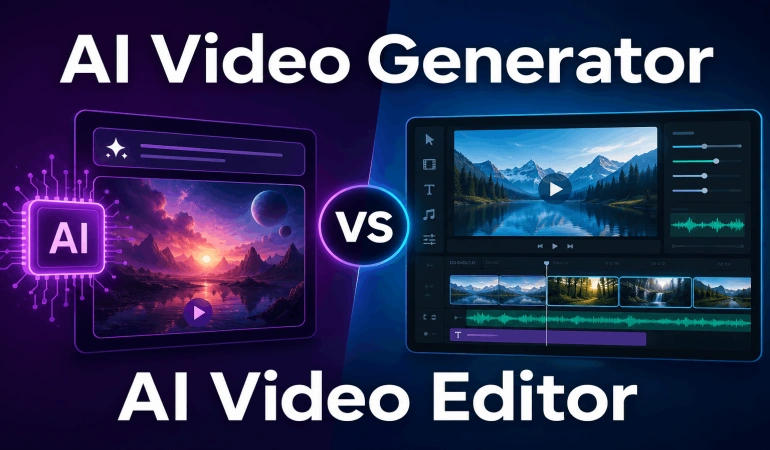
At AI Video Tools Pro, we've reviewed hundreds of AI video tools across video generation, editing, avatars, subtitles, and automation. One pattern comes up again and again: people often compare generators and editors as if they're the same type of software, even though they're built for different jobs.
This article explains what each category actually does, how they fit into a typical content creation workflow, and a simple way to tell which one you're looking at before you sign up.
What an AI Video Generator Actually Does
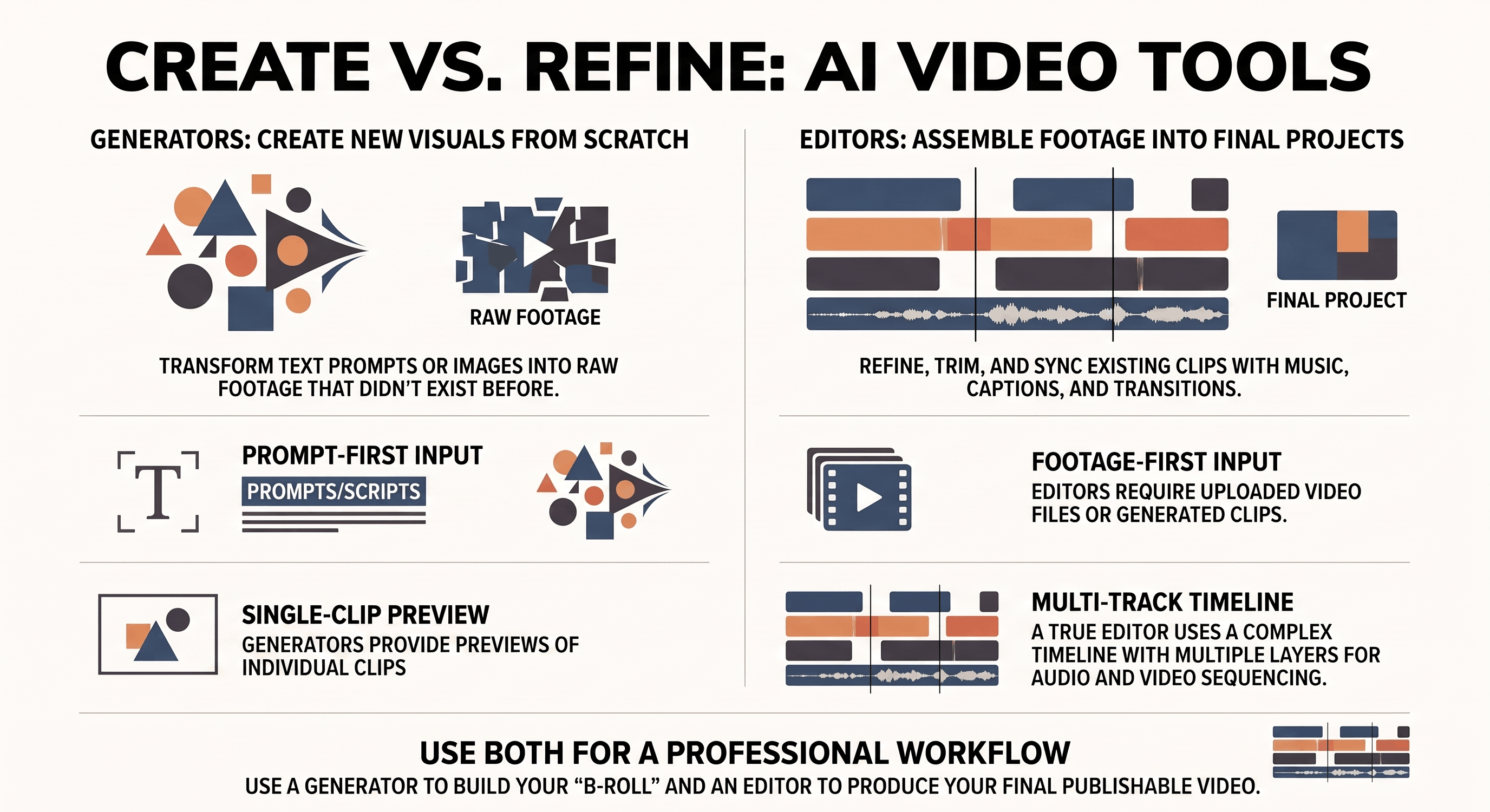
A generator takes a text prompt, an image, or a script and produces new video footage that didn't exist before. This type of AI video creation is often called text-to-video AI.
An AI video generator is commonly used to:
Create video from text prompts.
Turn images into animated clips.
Generate short scenes or B-roll.
Visualize ideas that haven't been filmed.
Produce footage for social media, marketing, or storytelling.
The output is raw material, not a finished piece. A single generated clip usually runs five to twenty seconds, with no sequencing, no pacing, and no narrative structure applied to it yet.
Most tools marketed as "text to video" fall squarely into this category. They're excellent at producing a shot. They're not built to turn several shots into a finished piece.
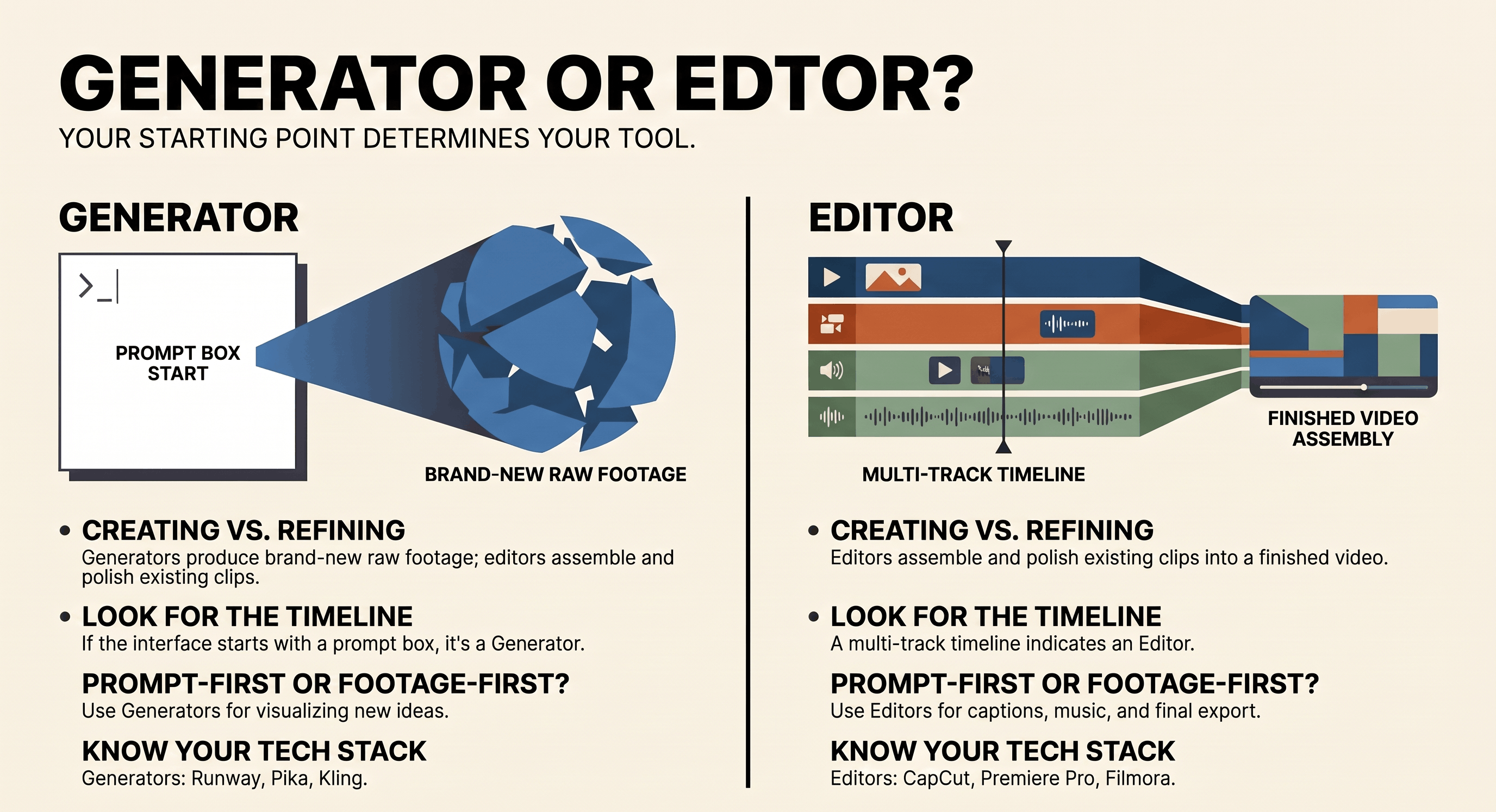
Popular AI video generators include tools like VideoExpress AI, Revid AI, BigMotion AI, MagicShorts AI, Kling AI, Pika, and Runway, etc. While each platform has its own strengths, they all focus on creating new video clips from prompts or other inputs rather than editing complete projects.
What an AI Video Editor Actually Does
An AI video editor takes footage, whether generated, filmed, or a mix of both, and assembles it into something finished. Modern AI video editing software can also automate tasks like captioning, background noise removal, scene detection, adding voiceover, and other repetitive editing work.
An AI video editor typically helps you:
Trim and arrange clips on a timeline.
Add captions and subtitles.
Record or sync voiceovers.
Insert music and sound effects.
Export a polished video ready to publish.
This is the step most "best AI tools" lists skip entirely. Once you've generated three or four clips from different prompts, something has to cut them together, and that's what an AI video editor is actually for.
Multi-track timeline editing specifically, meaning multiple video and audio layers rather than a single clip with a trim handle, is what separates a real editor from a generator with a basic cut function bolted on.
Popular AI video editors include CapCut, Descript, Adobe Premiere Pro, Filmora, DaVinci Resolve, VEED, etc. While each platform offers different AI-powered editing features, they all specialize in refining and assembling existing footage rather than generating entirely new video from prompts.
AI Video Generator vs AI Video Editor at a Glance
Why Most Real Projects Need Both
Imagine you're creating a product video for YouTube. You use an AI video generator to create several short clips showing different scenes or camera angles. You then import those clips into an AI video editor, where you trim each scene, arrange them on a timeline, add a voiceover, insert captions, include background music, and export the finished video.
The generator creates the raw footage. The editor turns that footage into something people can actually watch from beginning to end.
A Typical AI Video Workflow
For many creators, the workflow looks something like this:
Write a prompt or script.
Generate one or more video clips.
Import the clips into an AI video editor.
Arrange the clips on a timeline.
Add voiceover, captions, music, and branding.
Export the finished video.
Not every project follows these exact steps, but most involve both generation and editing before they're ready to publish.
A Quick Way to Tell Which Category a Tool Is In
Two questions settle it almost every time. Does the tool take a prompt as its primary input, or existing footage? Prompt-first tools are generators. Footage-first tools are editors.
Second, is there a timeline with multiple tracks, or a single preview window with basic trim handles? A real timeline means editor. A preview-and-trim interface usually means a generator with a light editing layer added on.
Some platforms are starting to do both, generation and editing in one workspace. That's worth knowing about, since the line between the two categories is blurring, but it doesn't change which question to ask about any specific feature you're evaluating.
Matching the Tool to the Job
Prompt-heavy, single-shot projects point toward an AI video generator. Multi-shot projects that combine several clips, voiceovers, captions, and music are better suited to AI video editing software.
Knowing which category you're actually shopping in before you compare individual tools saves a lot of wasted signups and trial periods spent testing the wrong kind of product for the job.
How to Choose the Right Tool
If you're still deciding which type of software you need, start by asking a few simple questions.
Do you need to create brand-new video from a prompt? Start with an AI video generator.
Do you already have footage that needs trimming, captions, or music? Start with an AI video editor.
Are you creating a multi-scene video? You'll probably need both.
Thinking about your project first usually makes the right choice obvious.
Common Mistakes When Choosing AI Video Tools
A few misunderstandings keep coming up when people compare AI video tools.
Assuming every AI video tool can both generate and edit video.
Expecting a single prompt to produce a complete, publish-ready video.
Paying for editing software when the real need is video generation.
Choosing a generator when the project mainly involves assembling existing footage.
Knowing which category you're shopping for makes it much easier to compare tools fairly.
Final Thoughts
AI video generators and AI video editors are often grouped, but they solve different problems. One creates new footage from prompts, while the other helps turn that footage into a polished final video.
As more platforms combine both capabilities, the line between them will continue to blur. Even so, understanding the difference makes it much easier to choose the right software for your workflow.
If you're comparing AI video tools, start by asking whether you need to create new video or improve video you already have. Once you answer that question, choosing the right category becomes much simpler.
If your goal is to create new video from a prompt, you need an AI video generator. If your goal is to turn multiple clips into a polished final video, you need an AI video editor. Most creators eventually use both as part of the same workflow.
Frequently Asked Questions
A few questions come up constantly once people understand the split between these two categories. Here are direct answers.
Can a video generator also function as an editor?
Some do, at a basic level, usually limited to trimming a single generated clip. Full multi-track sequencing across multiple clips is still mostly the domain of dedicated editors.
Do I need both a generator and an editor, or can one tool do everything?
Most regular content work needs both at some point, though a growing number of platforms now combine generation and editing into a single workspace.
What's the difference between a "video editor" and an "AI video editor" specifically?
An AI video editor adds automated features on top of standard editing, like auto-captioning or scene detection, but it still centers on a real timeline rather than a single clip.
Which category should a beginner start with?
Start with whichever matches your actual first project. If you need one short clip, try a generator. If you're assembling several shots into a finished piece, start with an editor.
Can I edit AI-generated videos in any video editor?
Yes. Most AI-generated videos can be imported into traditional or AI-powered video editors for trimming, transitions, captions, music, and other finishing touches.
Are AI video generators replacing video editors?
Not really. Generators and editors solve different problems. A generator creates footage, while an editor helps turn that footage into a complete video. Most creators still benefit from using both.
Which is better for YouTube creators?
It depends on your workflow. If you need original visuals, start with an AI video generator. If you're producing long-form videos with multiple scenes, voiceovers, and graphics, you'll almost certainly need an AI video editor as well.
Can beginners use both?
Yes. Many modern platforms are designed for beginners and include AI features that simplify both video generation and editing. The best place to start depends on whether you need to create new footage or edit existing video.

Lahaga Aondowase
I'm passionate about empowering creators through the power of AI. As the founder of AI Video Tools Pro, I aim to banish the time-wasting struggle of finding the perfect AI video tools for your content creation.
Related Articles
View All

User Comments (0)

