Invideo AI


Invideo AI Features
Invideo offers a broad set of tools that cater to both automated AI generation and manual refinement. Below are the key functionalities that define the user experience on the platform.
Text-to-video generation: Invideo AI V3.0 can generate videos directly from text.
AI-powered editing: Invideo uses AI to make changes to your videos based on what you want. You don't need to know complicated editing software to make changes.
Stock media access: Invideo AI provides access to over 16 million stock media items you can use in your videos.
Voiceovers: You can use preset voiceovers or even clone your own voice with AI. The voiceover feature lets you add narration to your videos easily.
Collaboration: Invideo AI allows you to collaborate with others on video projects in real-time.
AI voice cloning: You can clone your own voice with AI to make your videos unique.
AI script generator: Invideo AI can help you with script writing.
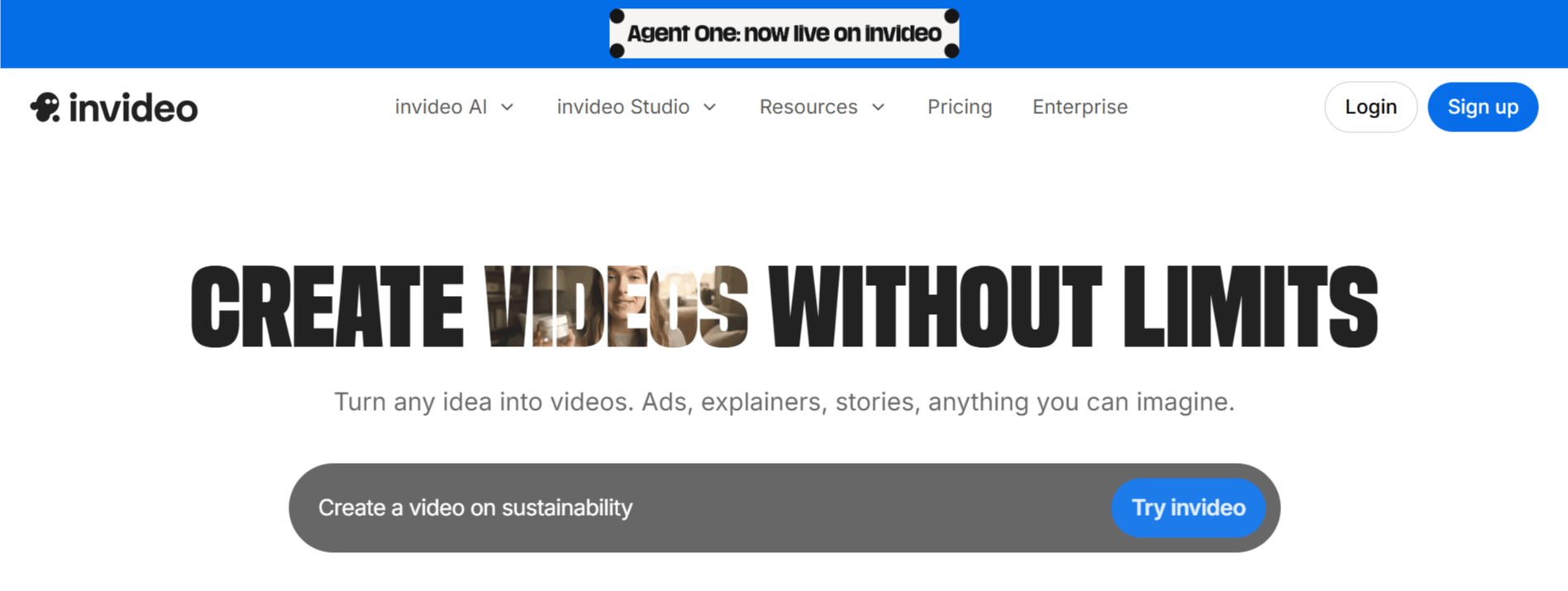
How Invideo Works
Getting started with the Invideo AI video generator is straightforward, as it is built to operate within a web browser, removing the need for a traditional download. Here is the general workflow a user follows from start to finish:
Step 1: Sign up and complete your Invideo login to access the dashboard.
Step 2: Choose between the AI-automated generator or the blank editor canvas depending on your project complexity.
Step 3: Input your prompt, script, or idea if you are using the AI agent mode.
Step 4: Allow the tool to process your request, generate scenes, and suggest media assets.
Step 5: Navigate to the timeline to manually tweak scenes, swap out stock footage, or adjust background music.
Step 6: Collaborate with team members in real-time if necessary, using the built-in comments and revision tools.
Step 7: Export your project once it meets your requirements, choosing the desired resolution and file format.
Use Cases
The platform is primarily used by those who need to scale their video production efficiently. It serves a wide different individuals and businesses that require consistent video content.
YouTube video creation: Invideo AI-powered tools make it easy to create high-quality YouTube videos quickly without editing experience.
Automated video generation: Invideo's V3.0 AI algorithms can generate videos from text prompts, identify relevant media assets, add voiceovers, and customize the video based on your commands.
Voiceovers and audio: Invideo can add human-sounding voiceovers to your videos, with over 15 different voice options available.
Video editing and customization: Invideo offers a full-featured video editor with capabilities to edit, customize, and tweak your AI-generated videos.
Collaborative video creation: Invideo allows teams to work together on video projects through its collaborative editing features.
Invideo AI Pricing
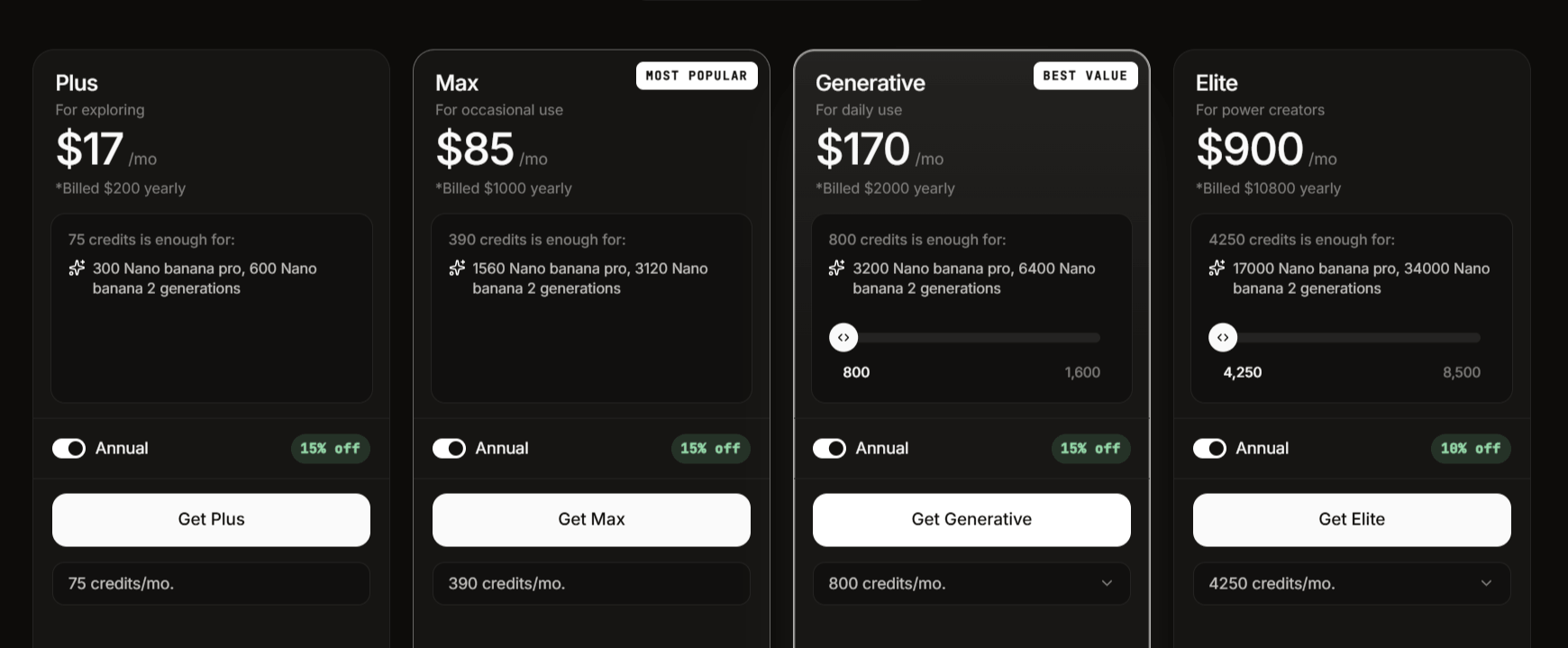
The pricing structure for the platform is tiered to accommodate different usage levels, ranging from individual creators to large teams.
Plan | Price | Key Features |
Free | $0/month | 10 mins/wk of AI generation, 10 GB storage, 4 exports/wk with Invideo logo, 2.5M+ standard media, no voice clones. |
Plus | $17/month | 50 mins/mo of AI generation, 100 GB storage, unlimited exports, 80/mo iStock, 60s Generative credits, 2 voice clones, up to 1 user, add-ons available such as "1x Boost, 60s Generative" |
Max | $85/month | 200 mins/mo of AI generation, 400 GB storage, unlimited exports, 320/mo iStock, 60s Generative credits, 5 voice clones, up to 1 user, add-ons available such as "1x Boost, 60s Generative" |
Generative | $170/month | 200 mins/mo of AI generation, 400 GB storage, unlimited exports, 320/mo iStock, 15m Generative credits, 5 voice clones, up to 1 user, add-ons available such as "1x Boost, 15m Generative" |
Key Points to Note About Invideo AI Pricing and Plans
Separate Products: Invideo AI and Invideo Studio are separate products with individual pricing plans.
Downgrade Policy: If you cancel your subscription, you can use the benefits of your current plan until the end of the billing cycle. Then, you will be downgraded to the free plan. After downgrading, only videos exported on a paid plan can be re-downloaded without a watermark.
Monthly Quotas: Each month, your quotas for video generation, stock media (iStock), and exports will reset based on the date your plan was activated.
Upgrading: You can upgrade your plan or add more user seats at any time. You will receive a full month's worth of quota and will only be charged for the remainder of the billing cycle.
No Roll-Over: Monthly quotas for exports, generations, and iStock credits do not roll over to the next month.
Add-ons: The Plus, Max, and Generative plans offer add-ons, such as "1x Boost, 60s Generative" or "1x Boost, 15m Generative".
Invideo Pros and Cons
Understanding the trade-offs of Invideo AI is important for setting realistic expectations before you begin a project.
Pros
Easy Video Creation: Invideo AI lets you make videos from your ideas, even if you don't have technical skills. You just type in what you want, and the AI creates the video.
AI-Powered Tools: Invideo AI uses powerful AI to make changes as you want them. This makes it easy to edit videos.
All-in-One Platform: It combines all the tools needed for video creation into one place. This helps to streamline the video-making process.
Lots of Media: Invideo AI gives you access to over 16 million stock media items using AI.
Good for All Skill Levels: It is designed to be easy to use, whether you are a beginner or have experience making videos.
Mobile App: There is a mobile app available so you can work from anywhere.
Customer Support: Invideo AI has 24/7 human support to help you with any issues. There is also a community of other users you can connect with.
Different Plans: There are different price plans, including a free option.
Real-Time Collaboration: The platform offers real-time collaboration with multiplayer editing.
Cons
Separate from Invideo Studio: Invideo AI is a different product from Invideo Studio and has its own pricing. This means that if you already use Invideo Studio, you have to pay separately for Invideo AI.
Free credits phased in: Free credits for Invideo AI are given gradually to eligible Invideo Studio users. This means not all users will have access to free credits right away.
No Rollover: Monthly quotas for video generation, stock media, and exports do not carry over to the next month. If you don't use all your credits or exports each month, they are lost.
Redownload restrictions: Only videos exported on a paid plan can be re-downloaded without a watermark after downgrading to a free plan.
Limited Quotas: There are limits on how much you can generate, export, and use iStock each month.
Final Verdict and Best For
Invideo AI offers a solid, all-in-one solution for creators who need to churn out professional-looking videos without the complexity of traditional NLEs (Non-Linear Editors).
It scores an 8.5/10 for its impressive ability to marry AI automation with manual editing flexibility, though it loses points for occasional performance lags. It is best suited for social media managers and solo creators who prioritize speed and ease-of-use above all else.
If you are looking for absolute pixel-level control or high-end cinematic production, you might find the AI-heavy workflow too restrictive, but for most digital marketing tasks, it provides significant utility.
Frequently Asked Questions
Here are answers to some common questions about Invideo AI.
Is Invideo AI Free or Paid?
Invideo AI offers both free and paid plans. The free version provides basic features, while the paid plans unlock advanced tools and resources.
Can You Monetize Invideo AI Videos?
Yes, you can monetize videos made with Invideo AI. However, ensure you have the necessary rights for any third-party content you use.
What Is the Difference Between Invideo AI and Invideo Studio?
Invideo AI uses artificial intelligence to help you create videos from simple text prompts, while Invideo Studio is a more traditional video editor with manual editing features.
Can Invideo AI Work on Android?
Yes, Invideo AI has an Android app that allows you to create videos on your Android phone.
Is Invideo Good for YouTube Videos?
Yes, Invideo AI is great for creating YouTube videos. It offers templates and tools tailored for YouTube content.
Can Invideo AI Create Animated Videos?
Yes, Invideo AI can create animated videos, adding dynamic elements to your content.
How Many Videos Can I Make with Invideo AI?
The number of videos you can create depends on your subscription plan. Free plans have limitations, while paid plans offer more flexibility.
How Long Does Invideo AI Take?
Creating a video with Invideo AI can take just a few minutes, depending on the complexity and length of your project.
Can I Use My Own Images in Invideo AI?
Yes! You can upload and use your own images in your Invideo AI projects.
Can I Use My Own Script in Invideo AI?
Yes! You can input your own script, and Invideo AI will help turn it into a video.
Can I Make a Music Video with Invideo AI?
Yes! You can create music videos by adding your own music tracks and visuals.
Is Invideo AI Copyright Free?
Invideo AI provides access to a library of royalty-free media. However, always ensure you have the rights to any external content you use.

Invideo AI Alternatives
View All