Vidofy AI

Vidofy AI Key Features
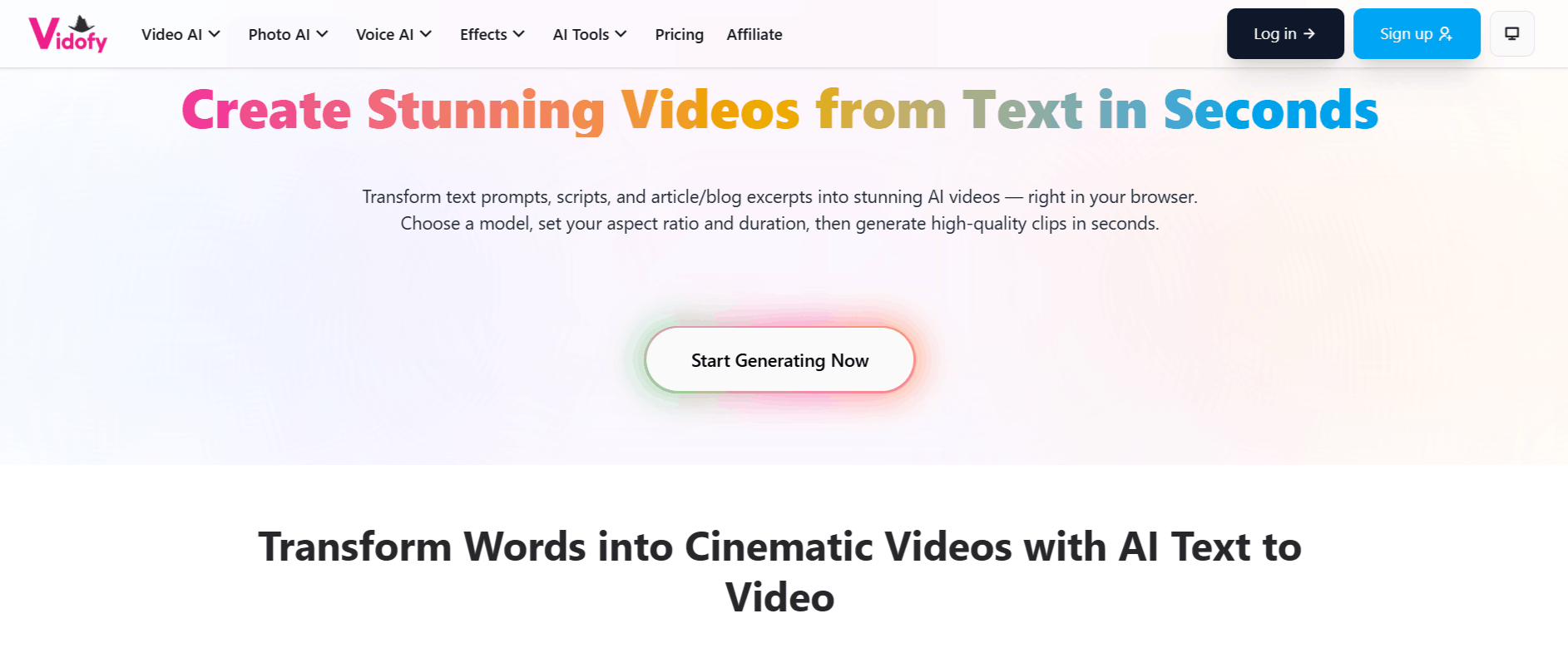
Vidofy provides many features minimizing the gap between text ideas and finished social media assets. Below are some of the standout capabilities that define the current Vidofy user experience.
1. Text-to-Video Generation
Vidofy AI analyzes your written prompts or article excerpts to generate cinematic video sequences. It understands descriptive language, allowing you to influence camera movements, lighting, and style through simple text input, which helps in creating diverse visual outputs with minimal effort.
2. Article-to-Reel Transformation
You can paste key points from your blog posts, and the tool helps format them into 30 to 60-second vertical reels, making it an essential utility for those who find the Vidofy app approach to content repurposing a time-saver.
3. Multi-Language Support
The platform supports translation into over 30 languages, which is a major advantage for global brands or creators looking to localize their social media presence. This allows users to reach broader demographics without needing to recreate or manually edit their base videos for different regions.
4. Diverse Media Library
Users gain access to over one million licensed stock media assets and 100,000 background audio tracks. This helps in building a library of diverse content that doesn't feel repetitive, even if you are pumping out daily videos for your social channels.
5. Talking Head Avatar Generation
For those who want a human presence in their videos without recording themselves, Vidofy includes talking head avatar capabilities. This is particularly useful for corporate communications, explainer videos, or news-style updates where a consistent spokesperson is desired.
6. Character and Style Consistency
The platform focuses on maintaining visual continuity across frames. If you are developing a narrative or using a recurring brand mascot, the AI attempts to keep the visual identity consistent, which prevents the common "flickering" or morphing issues found in early generative video models.
How Vidofy Works
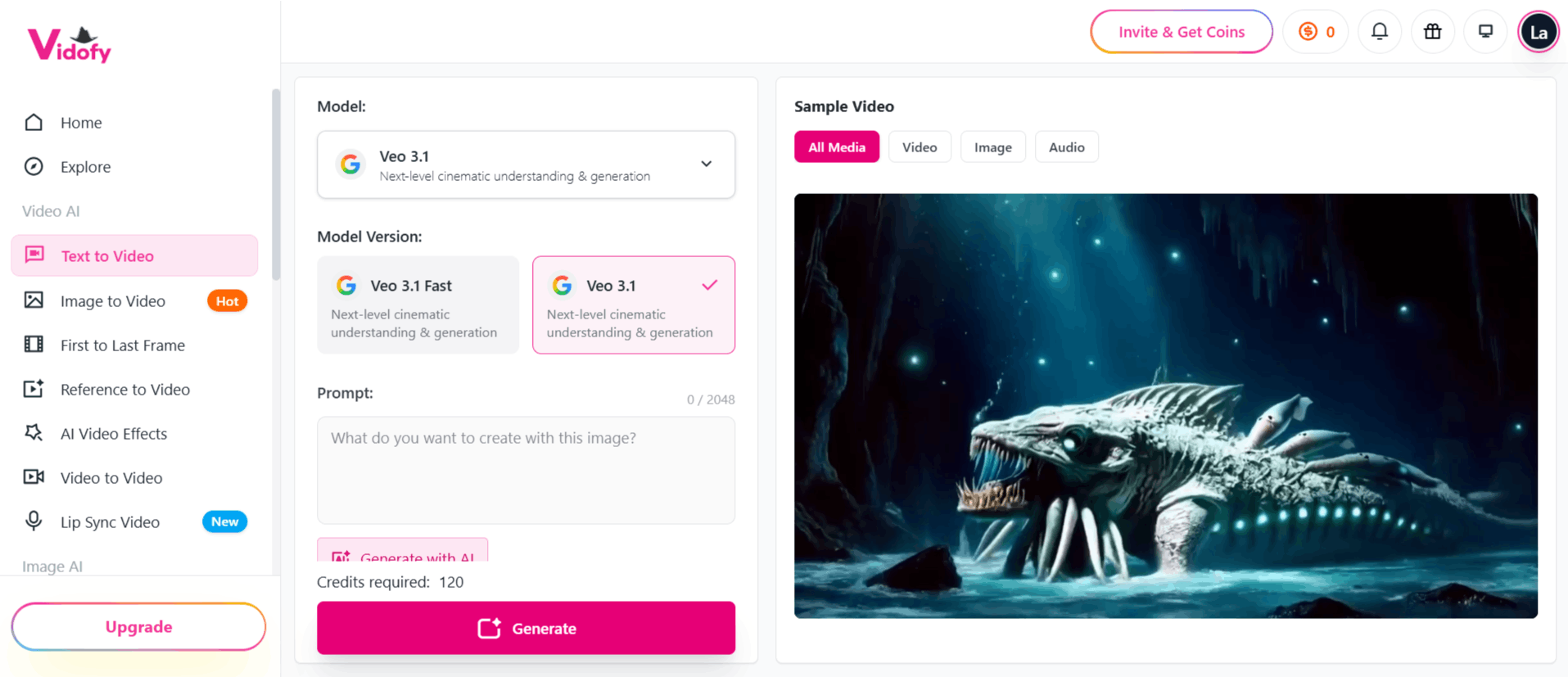
Below is a step-by-step breakdown of how a typical user goes from a blank page to a finished social media clip.
Sign up and log in via the official website.
Input your source material by pasting a URL, writing a fresh prompt, or providing a snippet of text that you want to transform.
Select your preferred aspect ratio (e.g., 9:16 for vertical reels).
Configure the style, duration, and tone settings to align with your brand voice.
Initiate the generation process, during which the AI summarizes your text and selects appropriate visual/audio assets.
Review the generated scenes, make minor tweaks if necessary, and export the file for social media use.
Vidofy AI Pricing
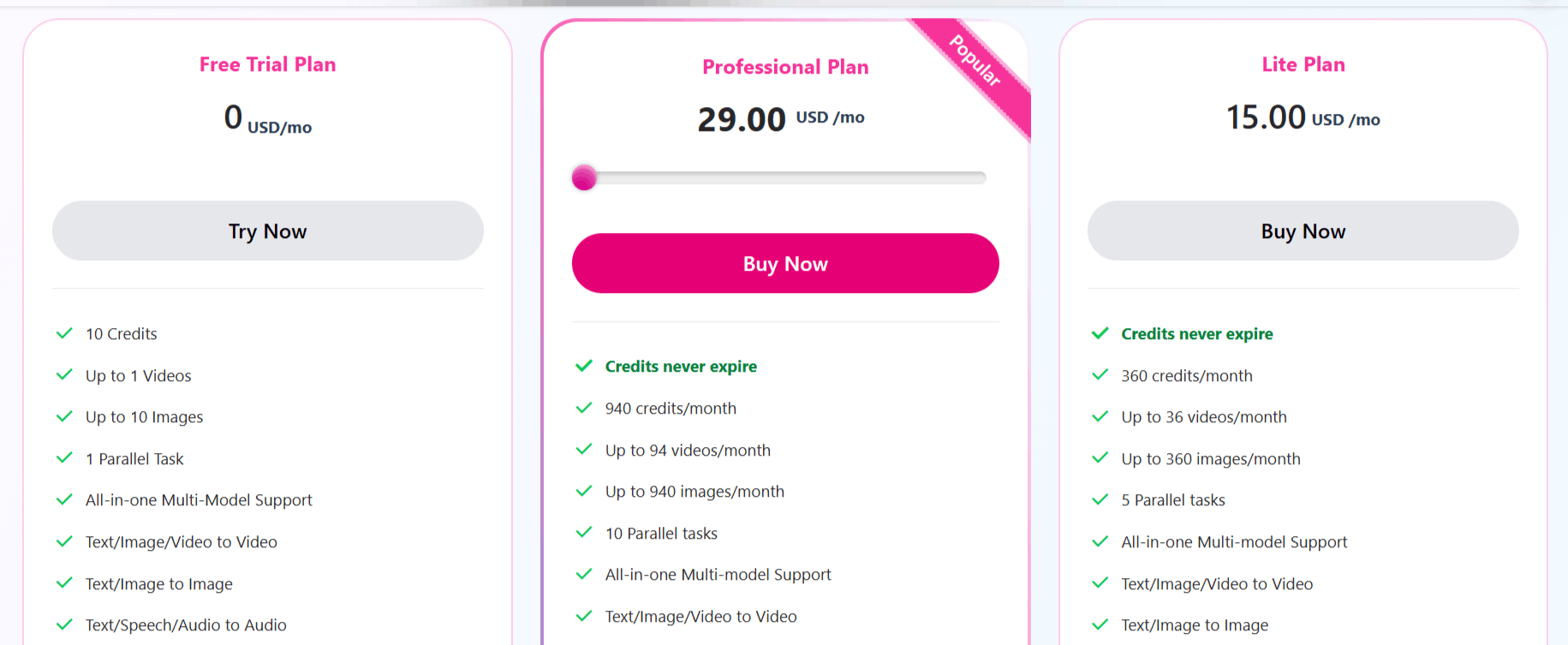
The Vidofy price structure accommodates both casual users who only need occasional videos and power users who require a consistent monthly output.
Free Trial Plan ($0/mo): Includes 10 total credits to test the tool, allowing for up to 1 video and 10 images with standard support.
Lite Plan ($15/mo): Offers a set number of credits that do not expire, providing access to all AI models, faster generation speeds, and no-watermark exports.
Professional Plan ($29/mo): Best for frequent creators, offering non-expiring credits, priority support, and advanced features like private video visibility and advanced camera movement options.
Enterprise Plans: Customized options are available for organizations that require branded templates, specific web parsers to ensure journalistic integrity, and higher-volume credit caps.
Use Cases
Vidofy is largely targeted toward users who need to create high volumes of content without the traditional editing software headache.
Social Media Managers: Easily transform trending article topics into engaging short-form content that fits the fast-paced nature of Instagram and TikTok.
Content Marketers: Repurpose existing long-form blog content into short video teasers to drive traffic back to a primary website.
Educators and Trainers: Turn complex written lessons into visually appealing video explanations that can improve student engagement and retention.
Solo Entrepreneurs: Founders can use the tool to create quick product demos and updates without needing a dedicated film crew or video editor.
Journalists and Newsrooms: Quickly convert daily news stories into social-ready video segments to maintain a competitive presence on modern media platforms.
Vidofy Pros and Cons
Let’s weigh the Vidofy advantages against some of the limitations we found.
Pros
Significant Time Savings: Vidofy drastically reduces the time spent on manual editing and script-to-visual mapping.
Accessible Interface: The web-based dashboard is intuitive, requiring no specialized knowledge of video production or complex software.
Flexible Credit System: Unlike some platforms that reset monthly, unused credits stay in your account, which is ideal for those with fluctuating production schedules.
High-Quality Stock Assets: Access to a large library of licensed media ensures your videos look polished and professional rather than generic.
Ease of Use for Beginners: If you can write a descriptive prompt, you can use Vidofy, making it very approachable for non-technical creators.
Variety of Output Styles: From cinematic visuals to documentary-style shots, the AI offers enough tools to suit many different brand aesthetics.
Cons
Wait Times: Some users have reported longer-than-expected generation times and a dependency on email notifications, which can disrupt a fast-paced workflow.
Consistency Challenges: Maintaining perfect visual continuity in long-form sequences can occasionally be hit-or-miss depending on the prompt.
Learning Curve for Prompts: Achieving specific, high-quality results often requires refining your prompts, which is a skill that takes time to develop.
Refund Limitations: The refund policy is relatively strict, requiring users to request assistance within a 3-day window and keep usage under 50 credits.
Final Verdict and Best For
Vidofy AI is a user-friendly tool that bridges the gap between text-heavy content and the visual-first demands of modern social media. It earns a solid 8/10 for its ease of use, generous credit model, and ability to turn simple prompts into professional-looking clips.
It is best suited for social media managers and bloggers who need to produce consistent content at scale. Those looking for cinematic-level, movie-grade output might find the AI generation occasionally limited, but for daily social media updates, it is a practical addition to any creator's toolkit.

Vidofy AI Alternatives
View All